

Staffing agencies live in the space between candidates and clients. Every shortlist, every piece of feedback and every interview time has to pass through you. A client portal is supposed to make that easier by giving hiring managers one place to review candidates, leave feedback and see where a search stands.
In practice, client portals vary a lot. Some are polished and genuinely used by clients. Others are a login screen your hiring managers will ignore in favor of replying to your email. This guide covers what to look for, the recruitment platforms agencies most often consider, and the one step most portals still leave to you: getting interviews on the calendar.
What to look for in a client portal
Low friction for the client. Hiring managers are busy and they did not choose your software. The best portals let clients review candidates through a secure link or a very simple login. If it takes a password reset to see a shortlist, they will ask you to email the resumes instead.
Control over what clients see. You should decide which candidates, notes and documents are shared. Internal notes, fees and other clients' activity must stay private.
Feedback that flows back into your ATS. A thumbs up, a comment or a stage change from the client should land on the candidate record automatically. Otherwise you are copying feedback by hand, which defeats the purpose.
Your branding, not the vendor's. Clients should feel like they are working with your agency. Look for custom logos, colors and ideally your own domain.
A clear path to interviews. Reviewing candidates is only half the job. Check what happens after a client says yes. Many portals stop there and leave interview scheduling to email.
Recruitment software with client portals
1. Bullhorn
Bullhorn is one of the most widely used platforms in staffing, especially for larger and contract-heavy agencies. Client-facing features are available through Bullhorn's own products and a large marketplace of add-ons, so agencies can build the client experience they need. The tradeoff is cost and setup time, which can be a lot for a small desk.
Best for: established staffing firms that want a deep ecosystem and have the budget to configure it.
2. Recruit CRM
Recruit CRM is built for recruiting agencies and includes a client portal for sharing candidates and collecting feedback. It pairs an ATS and CRM in one place, with a pipeline view that is easy for small teams to pick up.
Best for: small to mid-sized agencies that want an agency-first ATS with client sharing built in.
3. Recruiterflow
Recruiterflow focuses on agencies and includes client-facing sharing so hiring managers can review submitted candidates and respond. It also has strong automation for outreach and pipeline updates. If you run your desk on it, see our guide on how to schedule interviews in Recruiterflow.
Best for: growth-minded agencies that want automation and client sharing together.
4. Loxo
Loxo combines ATS, CRM and sourcing for recruiting firms, with ways to share candidate shortlists with clients. Keeping sourcing, jobs and client activity in one system helps with ownership and reporting.
Best for: agencies that want sourcing, ATS and CRM in a single platform.
5. Crelate
Crelate is an ATS and CRM for search and staffing firms with a client portal option for sharing candidates and gathering feedback. It is flexible and works well for agencies with relationship-heavy desks.
Best for: executive search and staffing firms that care about relationship history.
6. Zoho Recruit
Zoho Recruit offers a staffing agency edition with client and candidate portals. It is often one of the more affordable options, and it fits naturally if your business already runs on other Zoho products.
Best for: budget-conscious agencies or teams already using Zoho.
The gap most client portals leave open
Even the best portal usually ends at the moment a client says "let's meet this person." Then the familiar email chain starts. You ask the client for times, you check with the candidate, one of them is no longer free, and you start again.
Generic tools like Calendly do not solve this either, because they are built for one person sharing their own calendar, not for a recruiter coordinating two outside parties. We cover that in detail in can Calendly manage external scheduling with clients.
Where Arrange fits
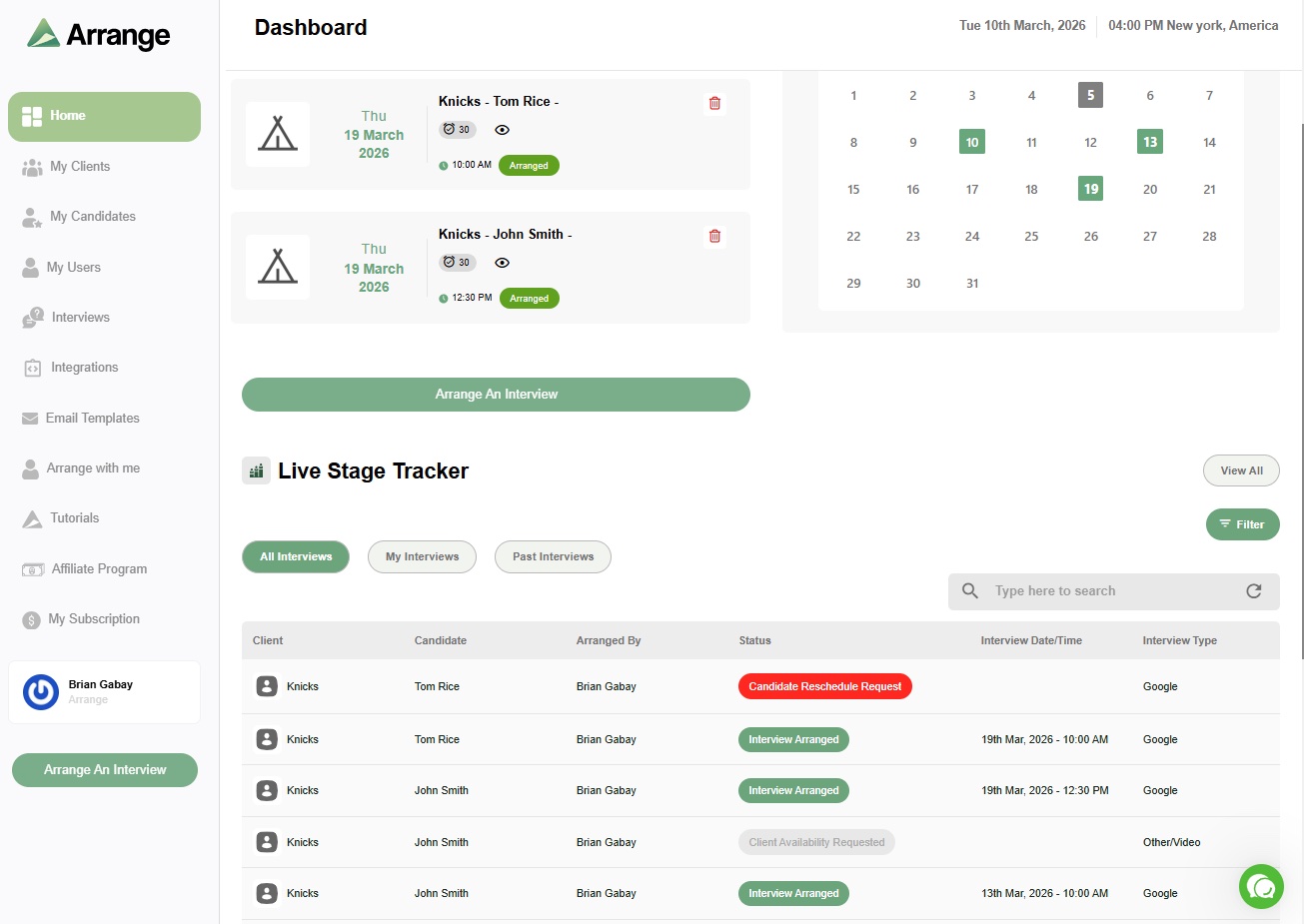
Arrange is interview scheduling built for the person in the middle. It works alongside whichever ATS or client portal you choose and handles the step after a client approves a candidate.
You can collect availability from the candidate first or the client first, and Arrange matches the times that work for both. Neither side needs an account or a login, which is exactly what hiring managers want. If a client connects their calendar, you can book straight onto it on their behalf. Booking pages are white-labeled, so the experience feels like your agency, not another vendor. More on how that works in how to schedule interviews without making candidates or clients log in.
It was built by a recruiter who lived this problem, which is why it does not ignore the middleperson. You can read that story in finally, a scheduling tool that doesn't ignore the middleperson. Arrange Pro comes with a 14-day free trial, and there is a free plan if you want to start small.
How to choose
Ask your clients. The best portal is the one your hiring managers will actually use. A quick question to two or three key clients can save you a painful rollout.
Test the client view yourself. During a trial, send yourself a shortlist as if you were the client. Count the clicks to see a candidate and leave feedback.
Check the handoff to interviews. Map what happens after a client approves someone. If the answer is "email," plan for a scheduling tool that fills that gap.
For a broader comparison of agency platforms, see our guide to the best recruiting platforms for recruiting agencies.
Frequently asked questions
What is a client portal in recruitment software?
A client portal is a shared space where a recruiting or staffing agency's clients can review submitted candidates, leave feedback and see the status of their searches without going through email for every update.
Do clients need to log in to use a client portal?
It depends on the platform. Some portals require a client account, while others use secure links. Clients tend to engage more with options that need little or no login, which is why tools like Arrange skip client logins entirely for interview scheduling.
Can a client portal schedule interviews?
Most client portals focus on sharing candidates and collecting feedback. Interview scheduling is often left to email. Agencies usually pair their ATS or portal with a dedicated interview scheduling tool to coordinate times between candidates and hiring managers.