


"Recruiting platform" is one of those terms everyone uses and nobody defines the same way. A job board calls itself a recruiting platform. So does an applicant tracking system, an AI sourcing tool, and an all-in-one suite that claims to do everything from sourcing to offer letters.
That makes shopping for one confusing. This guide breaks down what a recruiting platform actually is, the main types you'll run into, the features that matter, and how recruiting agencies in particular should think about choosing.
What is a recruiting platform?
A recruiting platform is software that helps recruiters find, engage, track and hire candidates. It can be a single product that covers one stage of the hiring process, such as sourcing or interview scheduling, or an all-in-one system that covers several stages, typically built around an applicant tracking system (ATS).
In practice, most recruiting teams don't run on one platform. They run on a small stack of tools connected to a central system of record.
The main types of recruiting platforms
Applicant tracking systems (ATS)
An ATS is the system of record for candidates and jobs. It stores profiles and resumes, tracks each candidate through pipeline stages, and logs activity. Agency-focused ATS platforms also handle submittals, placements and fees. For most teams, every other tool connects back to the ATS.
Recruiting CRMs
A recruiting CRM manages relationships over time rather than applications for a single job: nurturing passive candidates, and for agencies, managing clients and business development. Many agency platforms combine ATS and CRM in one product because agencies need both sides every day.
Sourcing platforms
Sourcing tools help recruiters find candidates who haven't applied. LinkedIn Recruiter is the most widely used. AI sourcing platforms now let recruiters describe a role in plain language and get back a ranked shortlist drawn from large profile databases, often with outreach built in.
Job boards
Job boards attract applicants by advertising open roles. They're central for in-house teams hiring at volume, and less central for agencies, whose value usually comes from reaching candidates who aren't actively applying.
Outreach and engagement tools
These run automated email and multichannel sequences to candidates and, for agencies, to prospective clients. Many ATS and sourcing platforms include sequencing; dedicated tools go further on personalization and deliverability.
AI note-takers
Recruiting-specific note-takers record screens, intake calls and interviews, then write structured notes back into the ATS. They've become one of the fastest-growing categories because they remove hours of admin without changing how recruiters work.
Interview scheduling platforms
Scheduling tools get candidates and interviewers onto the same calendar without the back-and-forth. Some are built for internal teams coordinating their own interviewers, others for agencies coordinating between a candidate and a client at two different companies. The difference matters more than most buyers expect, as we cover in our overview of the interview scheduling software market.
Assessment and screening tools
Skills tests, work samples and conversational screening assistants add structure to the evaluation stage. They're most common in technical and high-volume hiring.
All-in-one vs. best-of-breed
The biggest decision most teams face is whether to buy one platform that does a bit of everything or a core system plus specialized tools.
All-in-one platforms are simpler to buy and manage, keep data in one place, and avoid integration headaches. The tradeoff is that some modules are inevitably weaker than a dedicated tool, and you're more locked in if one part stops working for you.
Best-of-breed stacks let you pick the strongest tool for each job, but only work if everything writes back to a single system of record. A stack of disconnected tools creates double entry and gaps in your data.
Most agencies land somewhere in between: an all-in-one ATS and CRM at the center, with a few specialized tools added where the core platform is weakest. Our guide to the best recruiting platforms for recruiting agencies walks through the specific tools in each layer.
What agencies need from a recruiting platform
Most recruiting software is built for in-house talent teams. Agencies have a few requirements that change the shortlist:
Clients and candidates in the same system. Agencies sell and recruit at the same time, so the platform needs real client management, not just applicant tracking.
Placement-centric workflows. Submittals, candidate ownership, fees and guarantees matter to an agency in a way they don't to an internal team.
Tools that work for people outside your company. Your clients' hiring managers won't log into your systems. Platforms that depend on everyone sharing one calendar or one login break down when the people you're coordinating work somewhere else.
Flexibility. Agencies change focus as their clients and markets change. Tools with month-to-month terms and fast setup reduce the risk of being stuck with the wrong platform, a point covered in our guide to avoiding long-term lock-in.
How to choose a recruiting platform
1. Start from your bottleneck. Identify where recruiters lose the most time today, whether that's sourcing, admin, scheduling or business development, and solve that first.
2. Pick your system of record before anything else. Every other tool should integrate with it. Check integrations before features.
3. Test with real work. A demo shows what a platform can do in theory. A trial with live candidates and clients shows whether it fits how your team actually works.
4. Count the full cost. Include setup time, training and the hours spent on any manual workarounds, not just the subscription price.
5. Plan for adoption. A platform only saves time if the whole team uses it consistently. Simpler tools that get adopted beat powerful ones that don't.
Where Arrange fits
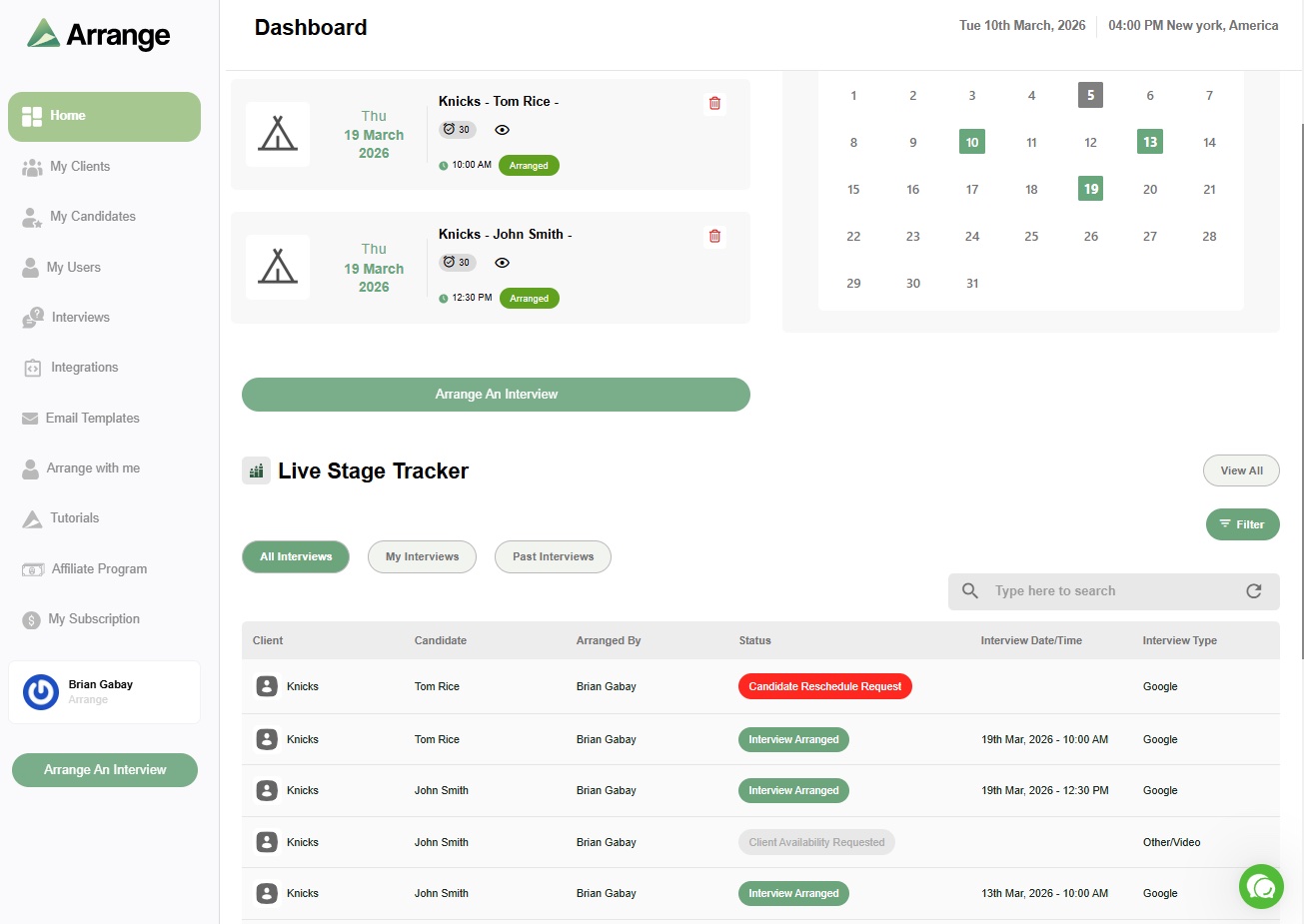
Arrange is an interview scheduling platform built for recruiting agencies. It handles the step most recruiting platforms leave to email: getting a candidate and a client into the same interview. You can collect the candidate's availability first, start with the client's, let Matchmaker book the earliest overlap, or add a Submission Link to a candidate submission so the client can schedule straight from it.
Nobody needs an account, everything carries your agency's branding, and confirmed interviews sync back to Loxo, Bullhorn, Crelate, Recruiterflow or Recruit CRM. It's built to sit alongside whatever recruiting platform you already use, and you can start on the free plan.
Frequently asked questions
Is an ATS the same as a recruiting platform?
An ATS is one type of recruiting platform, usually the central one. "Recruiting platform" is a broader term that also covers sourcing tools, CRMs, job boards, scheduling software, note-takers and assessment tools. Many all-in-one recruiting platforms are built around an ATS.
Is LinkedIn a recruiting platform?
LinkedIn Recruiter is a sourcing platform: it helps recruiters find and contact candidates. It isn't a system of record, so most recruiters pair it with an ATS to track candidates through the hiring process.
Do recruiting agencies need a different platform than in-house teams?
Usually, yes. Agencies need to manage clients as well as candidates, track submittals and placements, and coordinate with hiring managers at other companies. Platforms built for in-house teams tend to assume everyone involved works at the same organization.


.jpg)

.jpg)
.jpg)