


Ask ten recruiters what recruiting automation means and you'll get ten answers. For some it's AI sourcing. For others it's email sequences, or a chatbot that screens applicants, or a scheduling link. All of those count, but none of them is the whole picture.
This guide is written for recruiting agencies. It covers what recruiting automation actually is, which parts of an agency desk it handles well, where it saves the most time, and the parts of the job you should keep firmly in human hands.
What is recruiting automation?
Recruiting automation is the use of software to handle repetitive, rules-based recruiting tasks without a recruiter doing them by hand. That includes finding and ranking candidates, sending outreach and follow-ups, capturing call notes, scheduling interviews, and keeping your ATS up to date.
The goal isn't to replace recruiters. It's to take the admin off their plate so more of the day goes to the work that actually produces placements: talking to candidates, building client relationships, and closing.
What recruiting automation covers for an agency
An agency desk runs on two pipelines at once: candidates and clients. Automation can help at nearly every stage of both.
Sourcing
AI sourcing tools search large candidate databases from a plain-language description of the role and return a ranked shortlist, instead of a recruiter building Boolean strings and scrolling profiles one at a time. Some keep running in the background and surface new matches as they appear. For agencies running several client searches at once, this is often the first place automation pays off.
Candidate outreach
Multi-step sequences send the first message and the follow-ups automatically, across email and sometimes LinkedIn, and stop as soon as a candidate replies. Most agency ATS platforms now include sequencing, and dedicated sourcing tools often bundle it in.
Business development
Agencies also have to win the searches in the first place. Tools like Apollo provide B2B contact data and outbound sequences, Clay automates research and data enrichment on target accounts, and Lemlist runs personalized multichannel outreach campaigns. Together they let a small team run consistent business development without living in a spreadsheet.
Screening and call notes
AI note-takers built for recruiting record screens and intake calls, summarize them into structured notes, and write them back to the ATS. Some can turn a screening call into a draft candidate submittal. This removes one of the most tedious parts of the day and makes notes more consistent across a team.
Interview scheduling
This is the stage most agencies still run by hand, and for good reason: it's harder to automate than it looks. An internal recruiter can see interviewers' calendars. An agency recruiter is coordinating between a candidate and a client at two different companies, neither of whom shares a calendar with you. Scheduling automation built for agencies collects availability from one or both sides through simple links and books the interview without the email chain. When volume picks up, this is the difference between a manageable week and the chaos described in our guide to bulk interview scheduling.
ATS updates and admin
Every confirmed interview, sent email and completed call should log itself in your ATS. Integrations that advance candidate stages and record activity automatically keep your system of record accurate without anyone copying and pasting notes at the end of the day.
Where agencies get the most time back
Sourcing and outreach automation get most of the attention, but for many agencies the biggest hidden time cost sits further down the funnel. Getting a single client interview booked often takes several emails across two or three days: ask the candidate for times, forward them to the client, wait, hear that none of them work, start again.
Multiply that by every active candidate and it adds up fast. One executive search recruiter using Arrange told us she used to spend up to three hours a day on scheduling alone. That's time automation can give back almost entirely, because the task is pure coordination with no judgment involved.
A useful rule of thumb: automate first wherever your recruiters are acting as a messenger rather than an advisor.
What you shouldn't automate
Automation works best on tasks with clear rules. Agency recruiting is also a relationship business, and some parts of it lose their value the moment they feel automated.
Client relationships. Intake calls, feedback conversations and fee discussions should stay personal. Clients hire agencies for judgment and trust, not throughput.
Hiring judgment. AI can rank and summarize candidates, but deciding who to submit and how to position them is the recruiter's job and a big part of what clients pay for.
Sensitive candidate moments. Offers, counteroffers and rejections after final rounds deserve a real conversation, not a template.
Outreach that sounds automated. Sequencing is useful, but generic mass messaging damages your reputation with candidates and prospective clients. Personalize the first touch even when the follow-ups run automatically.
How to get started with recruiting automation
1. Map where the hours go. Have each recruiter track a normal week. Look for the tasks that repeat constantly and require little judgment.
2. Start with your ATS. Turn on the sequencing and workflow automation you're already paying for before buying anything new.
3. Fix one bottleneck at a time. Add one tool, get the team using it consistently, then move to the next. Five half-adopted tools save less time than one fully adopted one.
4. Insist on ATS integration. Any automation that doesn't write back to your system of record creates double entry, which cancels out much of the time it saves. Our breakdown of the best recruiting platforms for recruiting agencies covers how the main tools fit together.
5. Measure the result. Track time-to-submit, time-to-interview and placements per recruiter before and after. If a tool isn't moving one of those, it's not earning its place.
Where Arrange fits
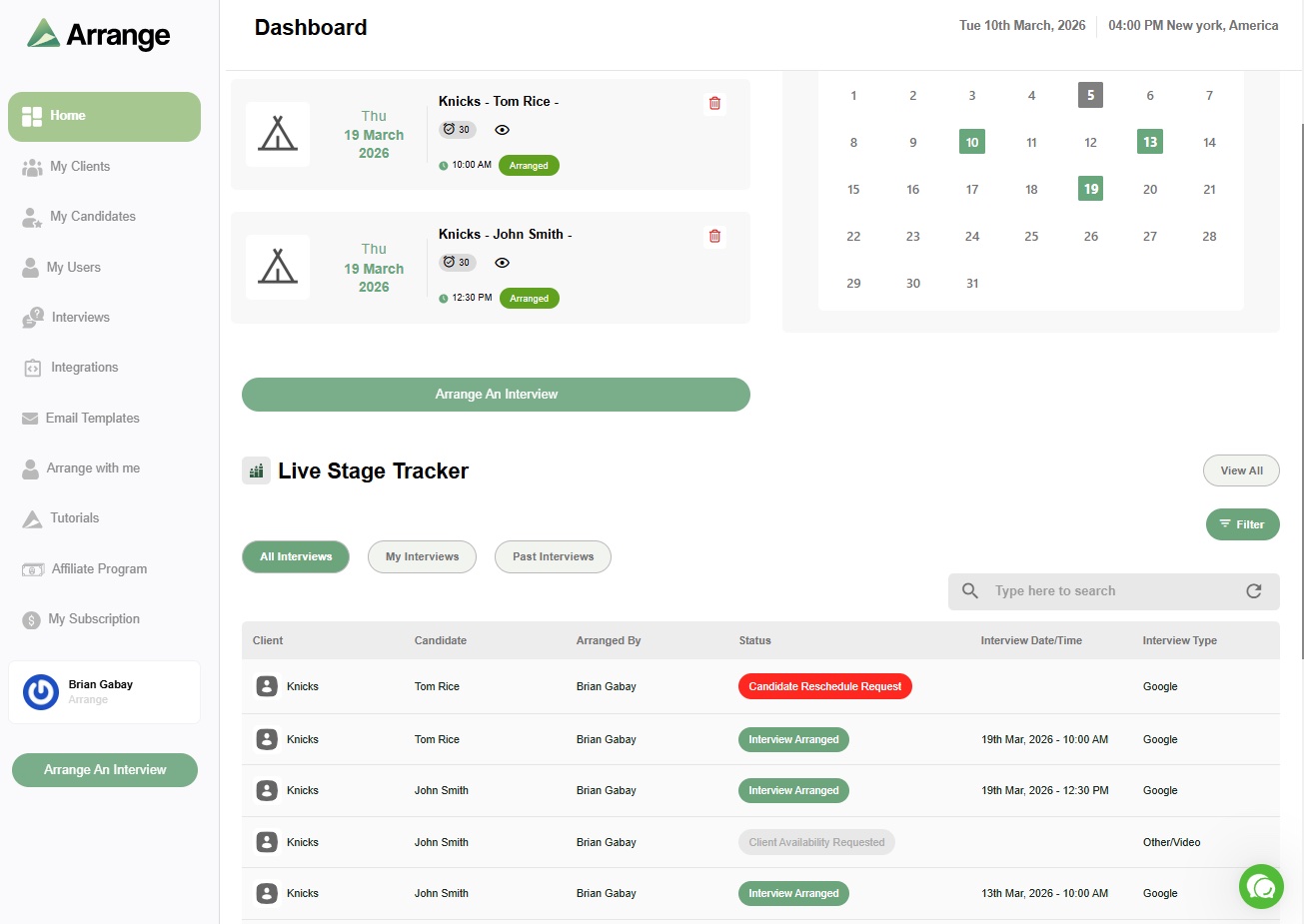
Arrange automates the part of the agency workflow most tools skip: getting a candidate and a client into the same interview. You choose the flow, whether that's collecting the candidate's availability first, starting with the client's, or letting Matchmaker book the earliest overlap between both. You can also add a Submission Link to a candidate submission so your client can schedule straight from it.
Neither side needs an account, everything carries your agency's branding, and confirmed interviews sync back to Loxo, Bullhorn, Crelate, Recruiterflow or Recruit CRM automatically. You can start on the free plan and see how much of your week it gives back.
Frequently asked questions
What is an example of recruiting automation?
Common examples include AI sourcing tools that build ranked candidate shortlists, email sequences that follow up with candidates until they reply, AI note-takers that write call summaries into the ATS, and scheduling tools that book interviews without back-and-forth emails.
Will recruiting automation replace recruiters?
No. Automation handles repetitive, rules-based tasks like outreach follow-ups, note-taking and scheduling. The parts of the job that drive placements, such as building client relationships, judging fit and managing offers, still depend on the recruiter.
What should recruiting agencies automate first?
Start with the tasks where recruiters act as messengers rather than advisors. For most agencies that means candidate follow-ups, ATS data entry and interview scheduling between candidates and clients, since those take hours each week and involve little judgment.


.jpg)

.jpg)
.jpg)