


Calendly is probably the most recognized name in scheduling. It's clean, it's easy to set up, and most people have used it at some point. If you're a recruiter, there's a good chance it was your first scheduling tool.
The problem is that Calendly was built for two-party scheduling - one person sends a link, another person books a time. That model works fine for screening calls where you're booking directly with a candidate. But agency recruiting doesn't stop there. You also need to coordinate interviews between candidates and clients, often without both parties being in the same conversation, and without requiring either of them to log into anything. That's where Calendly starts to break down.
If you've hit that wall, here's an honest look at what else is out there - what each tool is actually good for, and where it falls short for external recruiting workflows.
What to look for if you're an agency recruiter
Before getting into the tools, it helps to be clear about what the job actually requires. As an external recruiter, you're the middleman. You're not the hiring manager, you don't control the client's calendar, and you can't force candidates to create accounts. You need a tool that:
- Lets you coordinate between a candidate and a client without either party needing to log in
- Keeps you in control of the scheduling process, not dependent on whoever responds slowest
- Works alongside your ATS, not as a separate system you have to manually reconcile
- Presents as professional and ideally on-brand - you're representing yourself and your client
Most scheduling tools are built for internal teams or individual professionals. Only a few are actually designed for the external recruiter use case. Here's how the main options stack up.
The best Calendly alternatives for recruiting agencies
1. Arrange
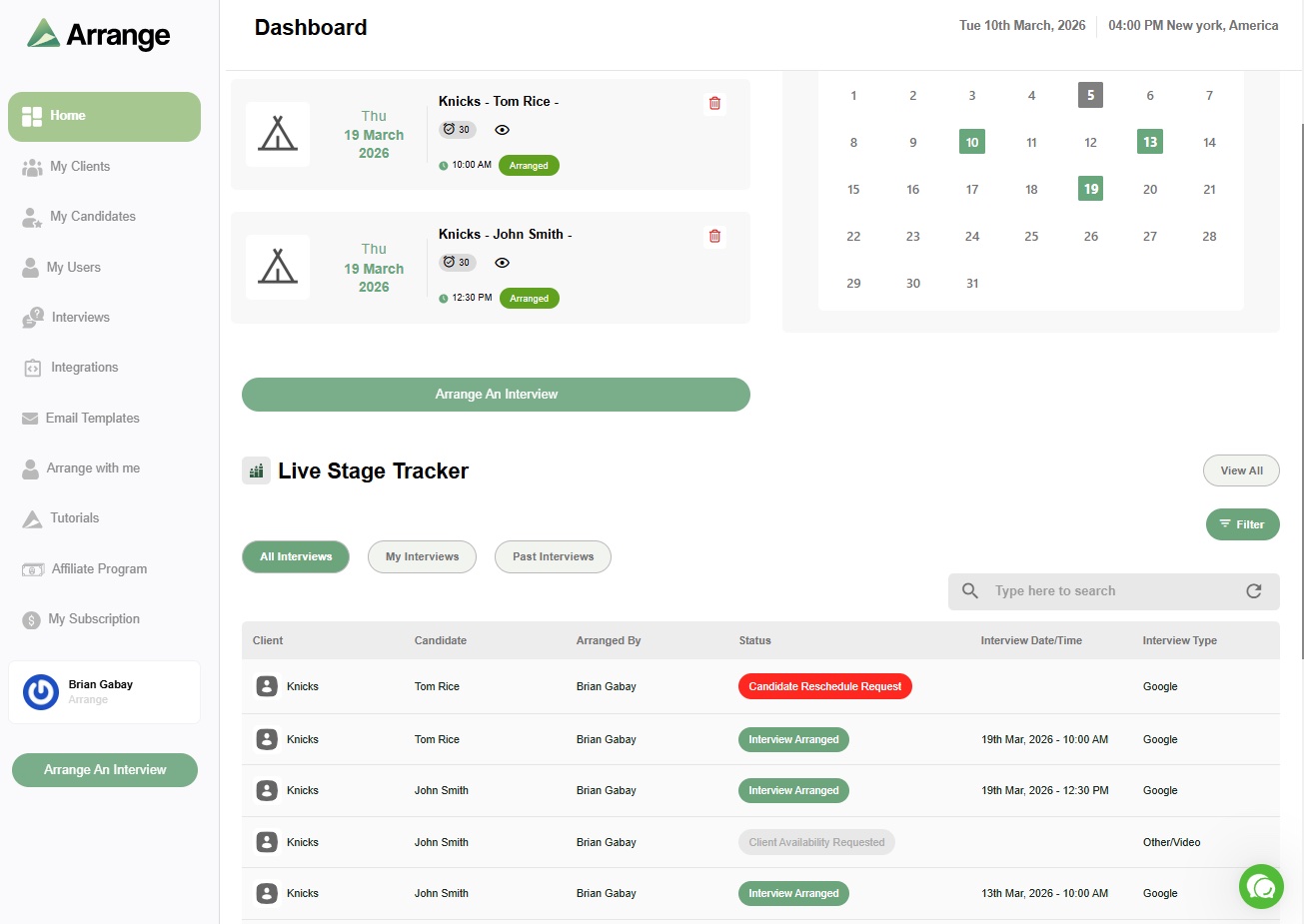
Arrange is the only scheduling tool built specifically for external recruiting agencies. The core problem it solves is three-party coordination - you, your candidate, and your client - without any of the three needing to be in the same thread or share calendar access.
The main workflows are designed around how agency recruiters actually work. With Candidate First scheduling, you collect availability from a candidate and then share a filtered set of those times with your client to confirm. With Client First, you pull availability from the client's side and share a booking link with the candidate. The Matchmaker flow auto-matches overlapping availability between both parties. All of it is white-labeled, so candidates and clients see your branding, not Arrange's.
There's also Arrange Connect, which lets you create booking pages on behalf of hiring managers by requesting read-only calendar access - useful when you have a trusted client relationship and want to streamline the confirmation step entirely.
For teams using Loxo, Crelate, Recruiterflow, or RecruitCRM, Arrange integrates directly with those ATS platforms so scheduling activity is logged without extra manual steps.
It's a newer product than most on this list, so some edge cases are still being ironed out. But it's the only tool here that was built from the ground up for the agency scheduling problem rather than retrofitted for it.
Best for: External recruiting agencies that coordinate interviews between candidates and clients and want a purpose-built tool that doesn't require logins from either party.
Pricing: ~$35/user/month. 14-day free trial at letsarrange.io.
2. GoodTime
GoodTime is a robust interview scheduling platform with strong automation - things like interviewer selection, panel coordination, and load balancing across a hiring team. If you're running high-volume hiring inside a company with a full TA team and direct access to hiring managers' calendars, it's a serious product.
For external agencies, the model doesn't quite fit. GoodTime assumes you have access to the calendar systems you're scheduling around. As an agency, you're not inside the client's Google Workspace or Microsoft 365 environment - you're coordinating from the outside. That means a lot of the automation that makes GoodTime valuable doesn't apply to you, and you're paying for infrastructure you can't actually use.
Best for: In-house TA teams at mid-to-large companies running high-volume hiring with full calendar access. Not designed for external agency workflows.
3. ModernLoop
ModernLoop is similar to GoodTime in terms of audience - it's built for internal recruiting operations teams that need to coordinate complex panel interviews, manage interviewer availability, and reduce scheduling load on coordinators. The product is well-designed for that use case.
The same limitation applies. If you're an external recruiter, you don't have the calendar visibility that ModernLoop's automation depends on. You're working across organizational boundaries, which is exactly the scenario these enterprise internal tools aren't built for.
Best for: Internal recruiting coordinators at enterprise companies. Not the right fit for agencies.
4. Zcal
Zcal is a design-forward Calendly alternative with a genuinely strong free plan. The booking pages are more visually polished than Calendly's defaults, and it includes things like meeting polls, custom form questions, and Zoom/Meet/Teams integration out of the box. If design and branding matter to you and you don't want to pay Calendly's rates, Zcal is worth a look.
That said, it's built on the same two-party model as Calendly. You send a link, someone books a time. For screening calls with candidates, that works fine. For coordinating between a candidate and a client where you need to collect availability from one side and share a filtered set with the other, Zcal doesn't have that workflow. It's a better-looking version of the same problem.
Best for: Individual recruiters or small teams who want better-designed booking pages for screening calls and don't need three-party coordination. Good free option.
Pricing: Free forever plan available. Pro at $7/user/month, Business at $12/user/month.
5. Cal.com
Cal.com is an open-source scheduling platform with a generous free tier and a lot of flexibility for developers or teams that want to customize their scheduling infrastructure. The free plan includes unlimited event types, multiple calendar connections, workflow automation, and integrations - more than most tools offer without paying.
For recruiting agencies, the flexibility is appealing in theory but limited in practice. Like Calendly and Zcal, Cal.com assumes two parties. It doesn't have a native workflow for collecting candidate availability, filtering it, and passing a subset to a client for confirmation. You'd have to build that yourself, which defeats the purpose of using a dedicated scheduling tool. It's also worth noting that in 2026, Cal.com moved its main product to a closed-source model - the open-source version now lives separately as Cal.diy, which is more relevant for developers than agencies.
Best for: Technical teams or developers who want to embed scheduling into their own product or workflow. Not purpose-built for agency recruiting.
Pricing: Free for individuals. Teams at $15/user/month, Organizations at $37/user/month.
So what should agency recruiters actually use?
For simple screening calls where you're booking one-on-one with a candidate, Calendly, Zcal, or Cal.com all work fine. They're easy to set up, candidates understand how to use them, and they get the job done.
The gap shows up when you're coordinating actual interviews between a candidate and a client. That's a three-party problem, and most scheduling tools treat it like a two-party one. The workaround - collecting availability manually, emailing it back and forth, hoping nobody books something else in the meantime - is what agency recruiters have been doing for years because there wasn't a better option.
Arrange was built specifically for that gap. It's not a general-purpose scheduling tool that's been stretched to fit recruiting. It's designed around the way external agencies actually work, where you're the coordinator in the middle and neither the candidate nor the client should need to log into anything to make it happen.
If that's the problem you're trying to solve, it's worth trying. There's a 14-day free trial at letsarrange.io.
Frequently asked questions
Can Calendly handle three-party scheduling for recruiting agencies?
Not natively. Calendly is designed for two-party scheduling - one person sends a link and another books a time. Coordinating an interview between a candidate and a client, where you need to collect availability from one side and share a filtered set with the other, requires a different kind of tool. Some recruiters work around this with manual steps, but there's no built-in three-party workflow in Calendly.
What's the difference between GoodTime and Arrange for agencies?
GoodTime is built for internal TA teams that have direct access to hiring managers' calendars and are running high-volume hiring inside a company. Arrange is built for external agencies that are coordinating from the outside - no calendar access on the client side, no required logins from candidates or clients. The use cases are fundamentally different.
Is there a free alternative to Calendly for recruiters?
Zcal and Cal.com both have strong free plans and work well for screening calls. If you need three-party coordination for client interviews, Arrange offers a 14-day free trial. None of the free general-purpose scheduling tools have a native workflow for coordinating between candidates and clients without logins.


.jpg)

.jpg)
.jpg)