

Zcal has built a solid reputation as a cleaner, more design-forward alternative to Calendly. The booking pages look polished, the free plan is genuinely useful, and setup takes minutes. For individual professionals who want a better-looking scheduling link, it does the job well.
But if you're an agency recruiter, you've probably already run into the ceiling. Zcal - like most scheduling tools - is built for two-party booking. You share a link, someone picks a time. That works fine for screening calls with candidates. The moment you need to coordinate an interview between a candidate and a client, the two-party model breaks down and you're back to managing it manually.
If that's the problem you're trying to solve, here's a look at what else is available and where each option actually fits.
What recruiting agencies actually need from a scheduling tool
The standard scheduling tool assumes you're booking with one other person. Agency recruiting doesn't work that way. You're coordinating between at least three parties - yourself, a candidate, and a client - and neither the candidate nor the client should need to log into anything or create an account to participate.
A scheduling tool built for agencies should:
- Let you collect availability from one party and share a filtered set with another
- Work without requiring candidates or clients to sign up or log in
- Keep the experience white-labeled so it feels like your brand, not a third-party tool
- Connect to your ATS so scheduling activity is tracked automatically
Zcal doesn't cover that ground. Here's what does.
The best Zcal alternatives for recruiting agencies
1. Arrange
Arrange is built specifically for the external recruiting agency use case - the three-party coordination problem that tools like Zcal weren't designed to solve.
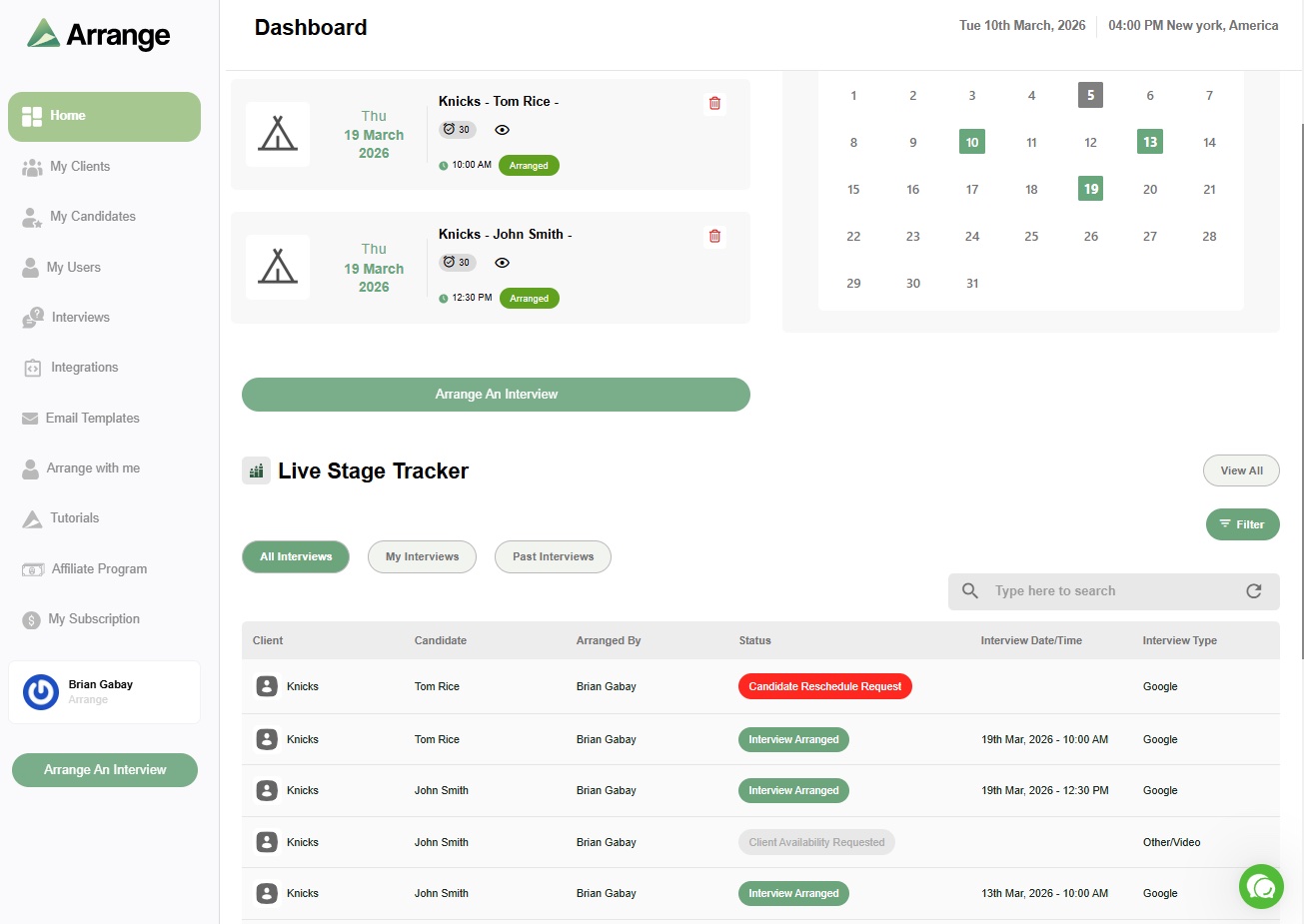
The core difference is how the scheduling flows work. With Candidate First, you send a candidate an availability request, collect their open times, and then share a filtered set of those slots with your client to confirm. With Client First, you pull the client's availability first and give the candidate a booking link to select from. The Matchmaker flow goes further - it auto-matches overlapping availability between both parties without you having to manually cross-reference. Everything is white-labeled, so the experience looks like your agency, not Arrange.
There's also Arrange Connect, which lets you create booking pages on behalf of hiring managers using read-only calendar access - useful when you have a strong enough client relationship to request it and want to cut the confirmation step out entirely.
For ATS users, Arrange integrates with Loxo, Crelate, Recruiterflow, and RecruitCRM, so scheduling activity gets logged without any extra steps. If you're spending time on manual follow-ups just to confirm interview times, that alone is worth the switch.
It's a newer product, so it's still adding features and edge cases get ironed out over time. But for the core agency scheduling problem, it's the only purpose-built option on this list.
Best for: External recruiting agencies coordinating interviews between candidates and clients without requiring either party to log in.
Pricing: ~$35/user/month. 14-day free trial at letsarrange.io.
2. Calendly
Calendly is the most recognized name in scheduling and the tool most people compare Zcal against. It's more feature-rich than Zcal overall - better integrations, more enterprise controls, stronger routing options - and it's been around long enough that most candidates and clients are already familiar with it.
For agency recruiters, the limitations are the same as Zcal's. It's a two-party tool. Calendly does have a feature called Routing Forms that can add some logic to the booking flow, but it doesn't give you a way to collect candidate availability and share a subset with a client for confirmation. If you're doing a lot of client-facing interview coordination, you'll hit the same wall you hit with Zcal.
Where Calendly has the edge over Zcal: if you're using it primarily for candidate screening calls and want more integration options - HubSpot, Salesforce, most ATS platforms - Calendly's ecosystem is deeper.
Best for: Recruiters who want a well-established two-party booking tool with strong integrations for screening calls. Not built for three-party interview coordination.
Pricing: Free plan available. Standard at $10/user/month, Teams at $16/user/month.
3. Cal.com
Cal.com is an open-source scheduling platform with one of the strongest free tiers available. You get unlimited event types, multiple calendar connections, workflow automation, and a wide range of integrations - all without paying. For individual recruiters or small teams watching costs, it's worth considering.
The trade-off is that Cal.com requires more setup than Zcal or Calendly. The interface is more technical, and getting the most out of it takes time. Like the others, it's built on a two-party model - share a link, someone books - so the three-party coordination problem is still on you to handle manually.
It's also worth noting that Cal.com shifted away from a fully open-source model in 2026. The hosted product is now closed-source, and the open-source version lives separately as Cal.diy - more relevant for developers building scheduling into their own products than for agencies using it day to day.
Best for: Tech-savvy recruiters or small teams who want maximum flexibility on a tight budget. Not purpose-built for agency workflows.
Pricing: Free for individuals. Teams at $15/user/month, Organizations at $37/user/month.
4. GoodTime
GoodTime is a more powerful platform than Zcal in almost every dimension - interviewer load balancing, panel coordination, deep calendar integration, and automation across the hiring team. If you're running high-volume hiring inside a company with a full TA team, it's a serious product.
For external agencies, the model doesn't fit. GoodTime's automation depends on having direct access to the calendar systems you're scheduling around. As an agency recruiter, you're outside your client's Google Workspace or Microsoft 365 environment - coordinating from the outside without that access. Most of what makes GoodTime valuable is locked behind that assumption.
Best for: In-house TA teams at mid-to-large companies with full calendar access and high interview volume. Not designed for external agencies.
5. ModernLoop
ModernLoop is similar in positioning to GoodTime - built for internal recruiting operations teams that need to coordinate complex interview panels, manage interviewer schedules, and reduce coordination load on coordinators. It's well-designed for that use case.
The same agency limitation applies. ModernLoop assumes calendar visibility that external recruiters don't have. You're working across organizational lines, which is exactly the scenario these enterprise internal tools weren't built to handle.
Best for: Internal recruiting coordinators at enterprise companies. Not the right fit for external agencies.
Which Zcal alternative is right for your agency?
If you're using Zcal mainly for screening calls - booking one-on-one with candidates - Calendly or Cal.com are reasonable upgrades depending on what you need. Calendly gives you more integrations. Cal.com gives you more for free.
If the real problem is interview coordination between candidates and clients - collecting availability from one side, sharing a filtered set with the other, confirming without anyone needing to log in - that's a different problem, and Arrange is the only tool on this list built to solve it.
Most agency recruiters are using workarounds for that part of the workflow because there wasn't a purpose-built option. There is now. You can try it free for 14 days at letsarrange.io.
Frequently asked questions
What's the main difference between Zcal and Arrange?
Zcal is a two-party scheduling tool - one person shares a link, another person books a time. Arrange is built for three-party coordination, where you're the recruiter in the middle collecting availability from a candidate and sharing it with a client (or vice versa) without either party needing to log in. They solve different problems.
Is Zcal good for recruiting?
Zcal works well for screening calls where you're booking directly with a candidate. It has polished booking pages and a strong free plan. Where it falls short is interview coordination - when you need to loop in a client and manage availability across multiple parties. For that use case, you'll need a tool built specifically for the agency workflow.
What scheduling tool do recruiting agencies use?
Most agencies default to Calendly or handle coordination manually. Arrange is the only scheduling tool built specifically for external recruiting agencies - designed around the three-party coordination problem that other scheduling tools leave to manual workarounds.


.jpg)

.jpg)
.jpg)