

Search for candidate screening tools and most of what you'll find is built for in-house teams sorting through thousands of inbound applications. Recruiting agencies screen differently. You're often evaluating candidates you sourced yourself, the screening call matters more than any filter, and your credibility with the client depends on every candidate you submit.
This list is built for agencies. It's organized by screening stage: ranking candidates before outreach, capturing the screening call, structured assessments, and the step after the screen where good candidates are most often lost.
What to look for in a candidate screening tool
It supports your judgment instead of replacing it. Clients pay agencies for judgment. The best tools speed up the work around it.
It fits sourced candidates, not just applicants. Many agency candidates never apply to anything. Tools built only around application forms miss most of an agency's pipeline.
It writes back to your ATS. Screening notes that live in a separate tool are notes your team can't find later.
AI ranking and pre-screening
1. Pin
Pin reads candidate profiles, including skills, experience and career trajectory, and scores each candidate against your job requirements, returning a ranked shortlist before you ever reach out. Outreach runs from the same tool, so pre-screening and engagement happen in one place.
Best for: agencies that want sourced candidates ranked against the role before outreach begins.
2. Juicebox
Juicebox's natural-language search lets you describe the ideal candidate in plain language, and its AI evaluation ranks results against the job description. Background sourcing agents can keep shortlisting new candidates as they appear.
Best for: recruiters screening for hard-to-find or technical profiles across a very large talent pool.
Screening call notes and AI screening
3. CoRecruit
CoRecruit (formerly Quil) is built for staffing agencies and search firms. It captures screening calls on phone, video, WhatsApp or in person without a visible meeting bot, formats notes using templates for screens, intakes and shortlists, and writes them into your ATS. It can also turn a screening call into a client-ready candidate submittal.
Best for: agencies that want screening notes and submittals written straight into their ATS.
4. Metaview
Metaview started as an AI note-taker for recruiting conversations and now includes a screening agent: candidates take a spoken screening call at a time that suits them, the agent asks follow-up questions, and each call is recorded, transcribed and scored against a rubric, with a person making the final decision.
Its deepest integrations are with in-house ATS platforms like Greenhouse, Lever, Ashby and Workday, which reflects its large base of corporate talent teams, though agencies and search firms use it too.
Best for: teams that want consistent, rubric-based screening and best-in-class interview notes.
5. Paradox
Paradox, now part of Workday, uses a conversational AI assistant to screen applicants over chat and text, asking qualifying questions and booking next steps automatically. It's built for very high-volume frontline hiring in industries like retail and hospitality.
For most agencies it's more infrastructure than the problem requires, as we cover in our look at Paradox alternatives, but it's the benchmark for automated screening at scale.
Best for: enterprise employers and high-volume staffing operations screening hourly applicants.
Skills assessments and video screening
6. TestGorilla
TestGorilla offers a large library of pre-employment tests covering technical skills, cognitive ability and role-specific knowledge. Candidates complete them online, and results give an objective data point alongside the recruiter's screen.
Best for: agencies whose clients want objective skills evidence before an interview.
7. HireVue
HireVue is an enterprise platform for on-demand video interviews and assessments. Candidates record answers to set questions on their own time, and hiring teams review them later, which is useful when screening many candidates for the same role.
Best for: larger staffing firms and enterprise clients running structured, high-volume screening.
After the screen: getting candidates in front of the client
8. Arrange
A great screen only pays off if the candidate gets in front of the client while they're still engaged. In agency recruiting, the days between submittal and first interview are where a lot of strong candidates go cold, usually because of a slow email chain about times.
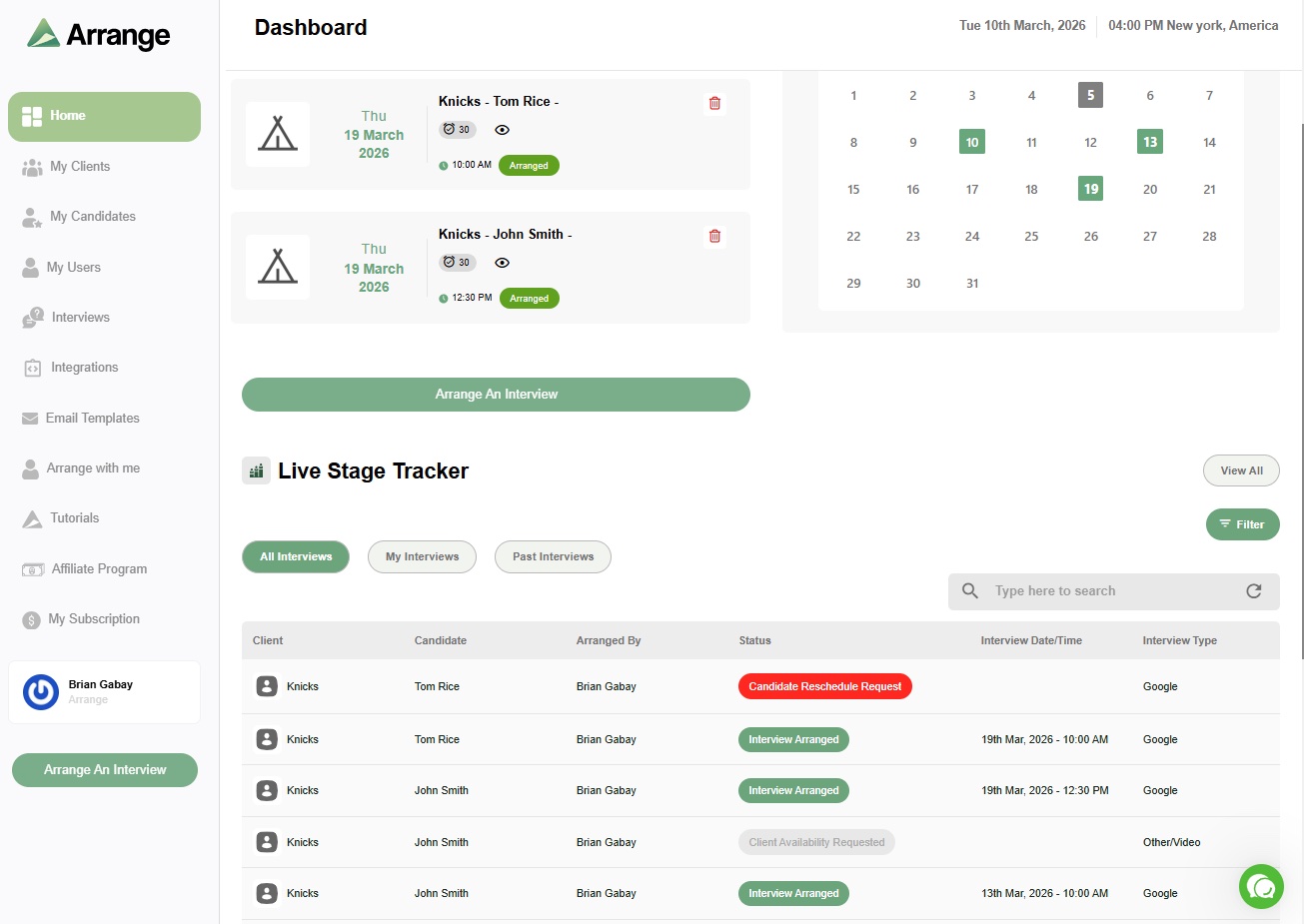
Arrange closes that gap. Add a Submission Link to your candidate submission, and if your client wants to meet, they click it and choose how to schedule. You can also collect the candidate's availability first, start with the client's, or let Matchmaker book the earliest overlap automatically. Neither side needs an account, everything carries your agency's branding, and confirmed interviews sync back to Loxo, Bullhorn, Crelate, Recruiterflow and Recruit CRM.
Best for: agencies that want screened candidates booked with clients fast, before momentum fades.
How to build your screening stack
Most agencies don't need every tool on this list. A practical setup looks like this:
Rank before you reach out. If you source heavily, an AI sourcing tool with built-in ranking saves hours of profile review.
Capture every screening call. An AI note-taker that writes to your ATS gives you better notes and faster submittals with no extra effort.
Add assessments only where clients value them. Skills tests help for technical roles but add friction elsewhere.
Protect the handoff. Make it easy for clients to book screened candidates the moment they're interested. Scheduling is a different job from managing the interview itself, as explained in our guide to interview scheduling vs. interview management software.
For the wider picture of how these tools fit with your ATS, sourcing and outreach, see our guide to the best recruiting platforms for recruiting agencies.
Where Arrange fits
Arrange doesn't screen candidates. It makes sure the candidates you've screened actually get interviewed, quickly and without a week of email. You can start on the free plan and upgrade when you're ready to connect your ATS.
Frequently asked questions
What are candidate screening tools?
Candidate screening tools help recruiters evaluate candidates against a role's requirements. They include AI tools that rank candidates, note-takers that capture screening calls, conversational screening assistants, skills assessments and video interviewing platforms.
Can AI screen candidates for recruiting agencies?
AI can rank candidates, ask qualifying questions and summarize screening calls, which speeds up the process significantly. For agencies, the final call on who to submit should still be the recruiter's, since that judgment is a large part of what clients pay for.
What's the most overlooked part of candidate screening?
The handoff after the screen. Many strong candidates are lost in the days between submittal and the first client interview, while scheduling happens over email. Making it easy for clients to book screened candidates quickly protects the value of a good screen.