


I built Arrange to solve a problem I lived through as a recruiter. Last week one of our team members showed me exactly why it matters. Here's the real story - with timestamps.
At 1:40pm, Jon submitted a candidate to a client. Included in the submission email was a candidate scheduling link - a single link that lets the client decide, on their own time, whether they want to move forward and how they want to handle the scheduling.
At 1:44pm, the client clicked the link. They chose to provide their own availability - a few open slots over the next two days.
At 1:51pm, the candidate selected one of those times. Calendar invites went out automatically to the candidate, the client, and the recruiter. The interview was confirmed. Loxo updated automatically with the interview details and the candidate's stage advanced.
Jon sent zero follow-up emails. He didn't chase the client for availability. He didn't go back to the candidate with proposed times. He didn't manually update the ATS. None of that happened - because none of it needed to.
From submission to confirmed interview with calendar invites: 11 minutes.

Watch it happen in real time
Jon recorded the whole thing. You can see the submission go out, the client interact with the scheduling link, the candidate select a time, and the ATS update - all in one continuous workflow.
The Loom is about two and a half minutes: https://www.loom.com/share/afb7c1a869ea4c0891cb3395b1d457b3
What you'll notice watching it: there's no moment where a recruiter is doing coordination work. The system handles it. Jon's next action in this process is checking on the interview after it happens.
Here's what actually happened
The reason this works the way it does comes down to how Arrange handles the middle of the scheduling process - the part between submission and confirmation that usually lives in a recruiter's inbox.
Most scheduling tools assume the recruiter has a calendar to share. Calendly gives you a link to your availability. That works for booking a call with someone who already wants to talk to you. It doesn't work for the situation agency recruiters are actually in: you need your client to decide if they're interested, and if so, coordinate with a candidate they haven't met yet, without either of them needing to log into anything or create an account.
Arrange's candidate scheduling link handles that. When you submit a candidate, the client gets a link. They can either provide their availability or request the candidate's times. Either way, the system collects what it needs and confirms the interview automatically.
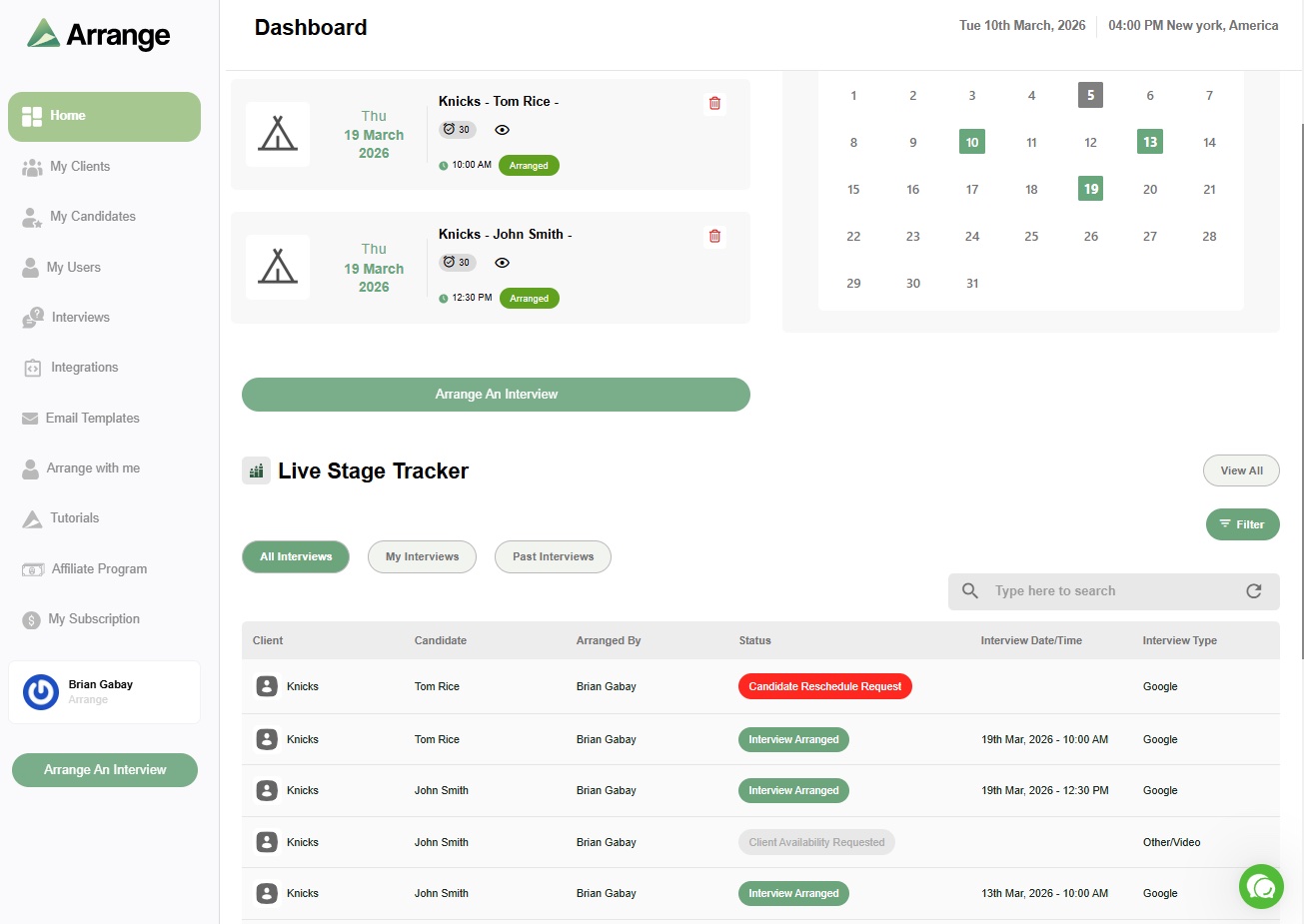
The live stage tracker shows where every interview stands across all active roles - not just the ones that confirmed, but the ones still in motion. If a client hasn't responded in 48 hours, you know before the candidate goes cold.
Confirmed interviews update the ATS automatically. In Jon's case, that meant Loxo - but the same integration works with Crelate, Recruiterflow, and RecruitCRM.
The 11-minute window in this example is on the faster end. It depends on how quickly the client and candidate respond. But the recruiter's involvement is the same regardless: send the submission, let Arrange handle the rest, check back when it's confirmed.
That's the whole point. The scheduling coordination that used to live in your inbox doesn't have to anymore.
If you want to see how it works for your own workflow, there's a 14-day free trial at letsarrange.io - no credit card required.


.jpg)

.jpg)
.jpg)