


When agency recruiters start looking for interview scheduling software, three names come up most often: GoodTime, Calendly, and Arrange. All three handle scheduling. All three claim to save recruiters time. And all three are solving completely different problems.
Picking the wrong one doesn't just waste money - it means you're still doing the manual coordination work the tool was supposed to eliminate. Here's an honest breakdown of what each product actually does and who it's actually built for.
The short version
Calendly is a personal scheduling tool that lets you share your availability with others. It works well when you're the one being scheduled.
GoodTime is an enterprise interview coordination platform built for large in-house talent acquisition teams running complex, multi-panel interview loops at scale.
Arrange is an interview scheduling platform built specifically for agency recruiters who coordinate between external candidates and external clients - the three-party coordination problem that neither Calendly nor GoodTime was designed to solve.
If you're an agency recruiter, only one of these was built for your workflow. The other two are excellent products solving different problems.
Calendly
What it does well
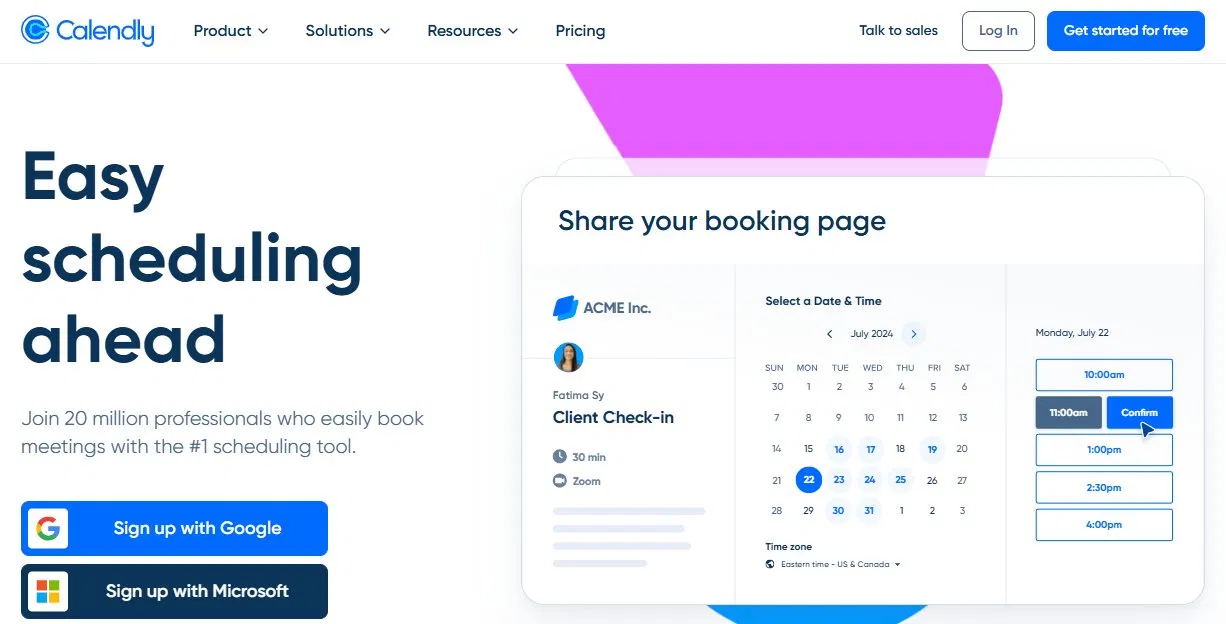
Calendly is the most widely used scheduling tool in the world for a reason. It's simple, fast to set up, and solves a real problem: eliminating the back and forth of scheduling a meeting between two people when you're one of them.
You share a Calendly link, the other person picks a time from your available slots, and the meeting is booked. Calendar invites go out automatically. It works reliably and the user experience is clean.
For individual professionals managing their own calendar - sales calls, client meetings, networking conversations - Calendly is excellent.
Where it falls short for agency recruiters
The agency recruiter use case is fundamentally different from what Calendly was built for. Agency recruiters aren't scheduling meetings for themselves. They're coordinating interviews between two other people - a candidate and a client - who have no shared calendar system and no direct relationship with each other.
Calendly doesn't have a native way to collect availability from two external parties independently, find the overlap between them, and confirm an interview without the recruiter manually doing that coordination. You can use Calendly links creatively to approximate parts of this workflow, but you end up back in the middle managing the back and forth manually.
Calendly also has no native ATS integrations for the platforms agency recruiters use - Loxo, Crelate, RecruitCRM, Recruiterflow. Confirmed interviews don't automatically update candidate stages or log interview details in your ATS.
Pricing
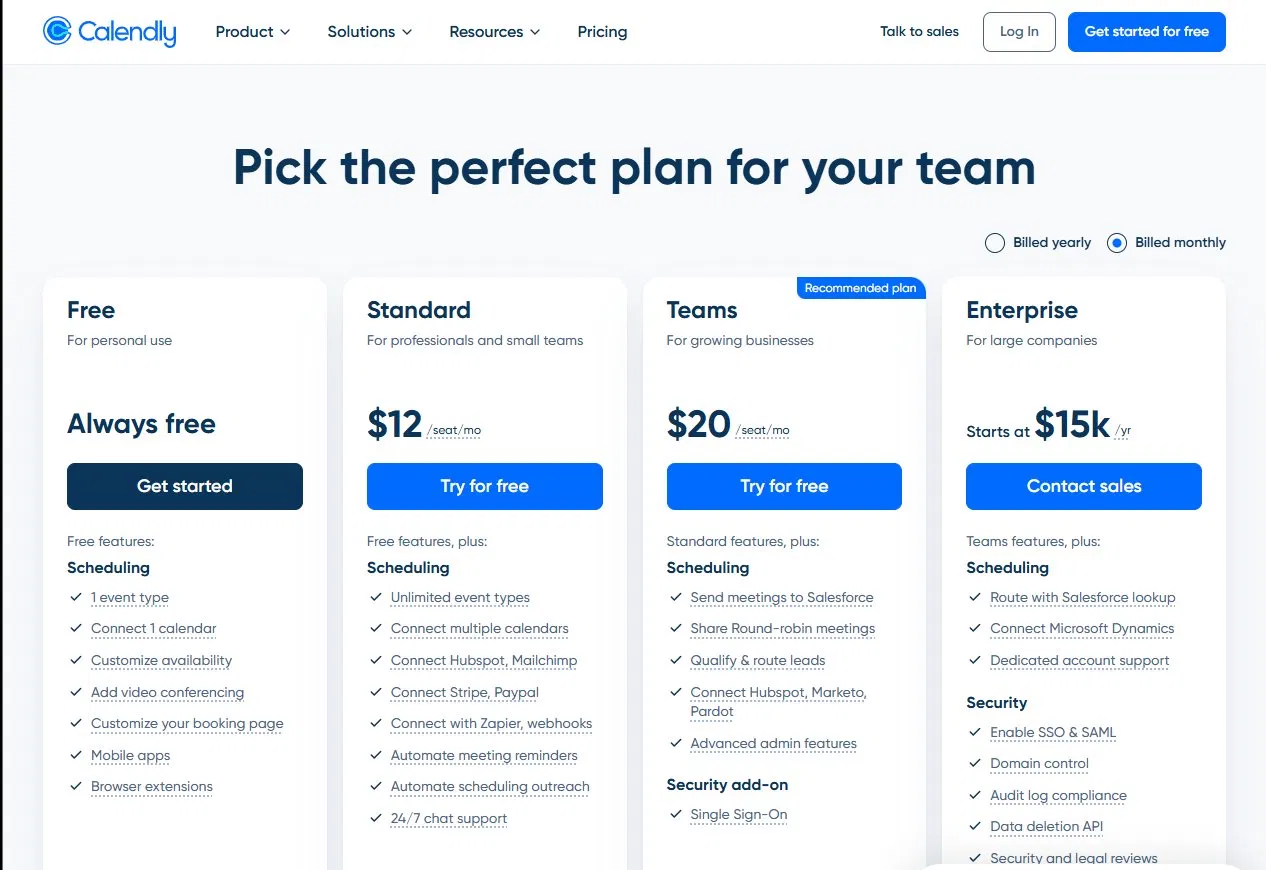
Free plan available. Standard $12/seat/mo, Teams $20/seat/mo, Enterprise starts at $15k/yr.
Best for
Individual professionals scheduling their own meetings. Internal recruiters who need to share their availability with candidates. Anyone who is one of the two parties in the meeting being scheduled.
GoodTime

What it does well
GoodTime is a powerful enterprise platform built for large in-house talent acquisition teams. It handles complex interview loops with multiple interviewers, reads hiring team calendars to suggest optimal interview panels, integrates deeply with enterprise ATS platforms like Greenhouse, Lever, Workday, and iCIMS, and provides detailed analytics on interview process efficiency.
For a company running hundreds of interviews per month with multiple hiring managers and structured interview panels, GoodTime delivers real operational leverage. The platform automates a significant portion of the coordination work that would otherwise fall on a recruiting coordinator.
Where it falls short for agency recruiters
GoodTime was built for internal teams with access to organizational calendar infrastructure. It assumes the recruiter can see hiring manager calendars, that all parties are within the same organizational ecosystem, and that the ATS is an enterprise platform like Greenhouse or Workday.
Agency recruiters work with external clients who have no obligation to share their calendar access. The client is outside the recruiter's organizational infrastructure entirely. GoodTime's model of reading hiring team availability and auto-suggesting panels doesn't translate to a workflow where the client is a completely external party with their own separate systems.
GoodTime is also priced and scoped for enterprise. The implementation complexity and cost structure typically don't make sense for independent recruiting agencies or small to mid-sized staffing firms.
Pricing
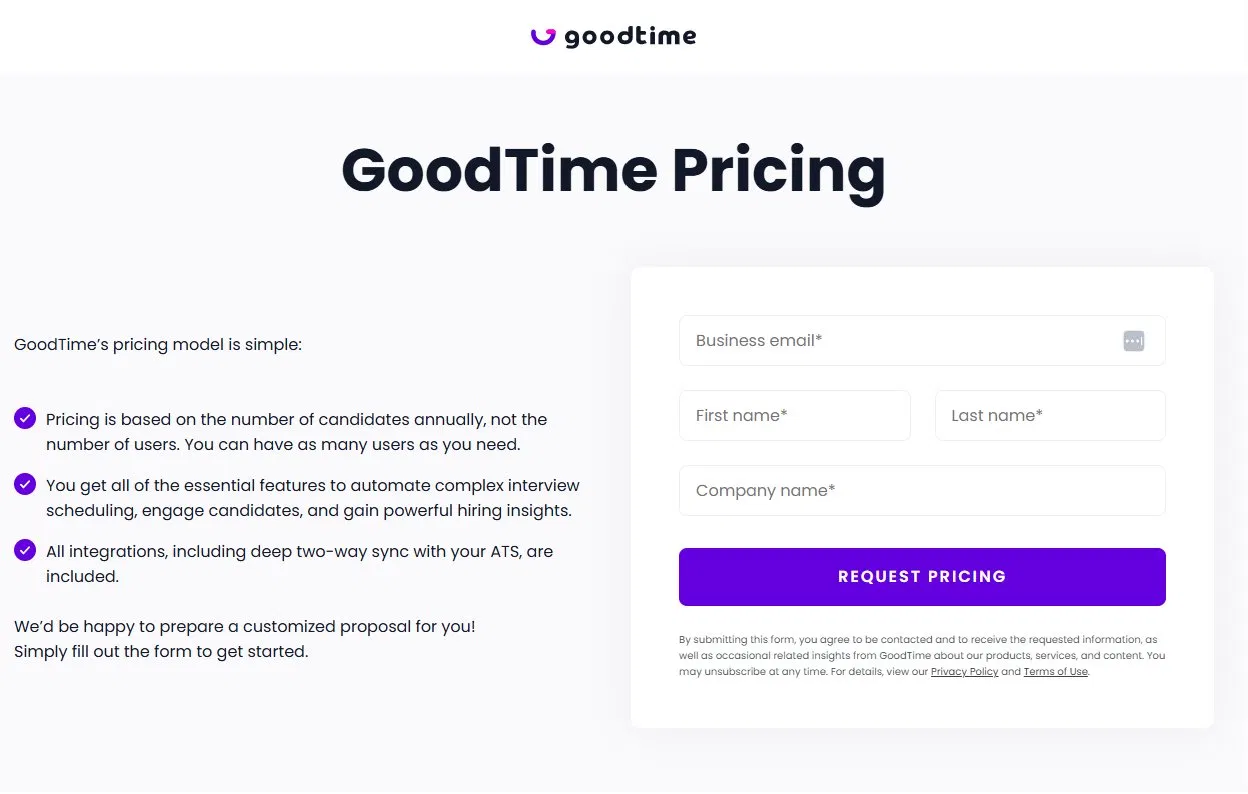
Custom pricing, available on request. Enterprise positioning - expect a sales process.
Best for
In-house talent acquisition teams at mid-sized to large companies running structured, high-volume interview processes with multiple interviewers and enterprise ATS platforms.
Arrange

What it does well
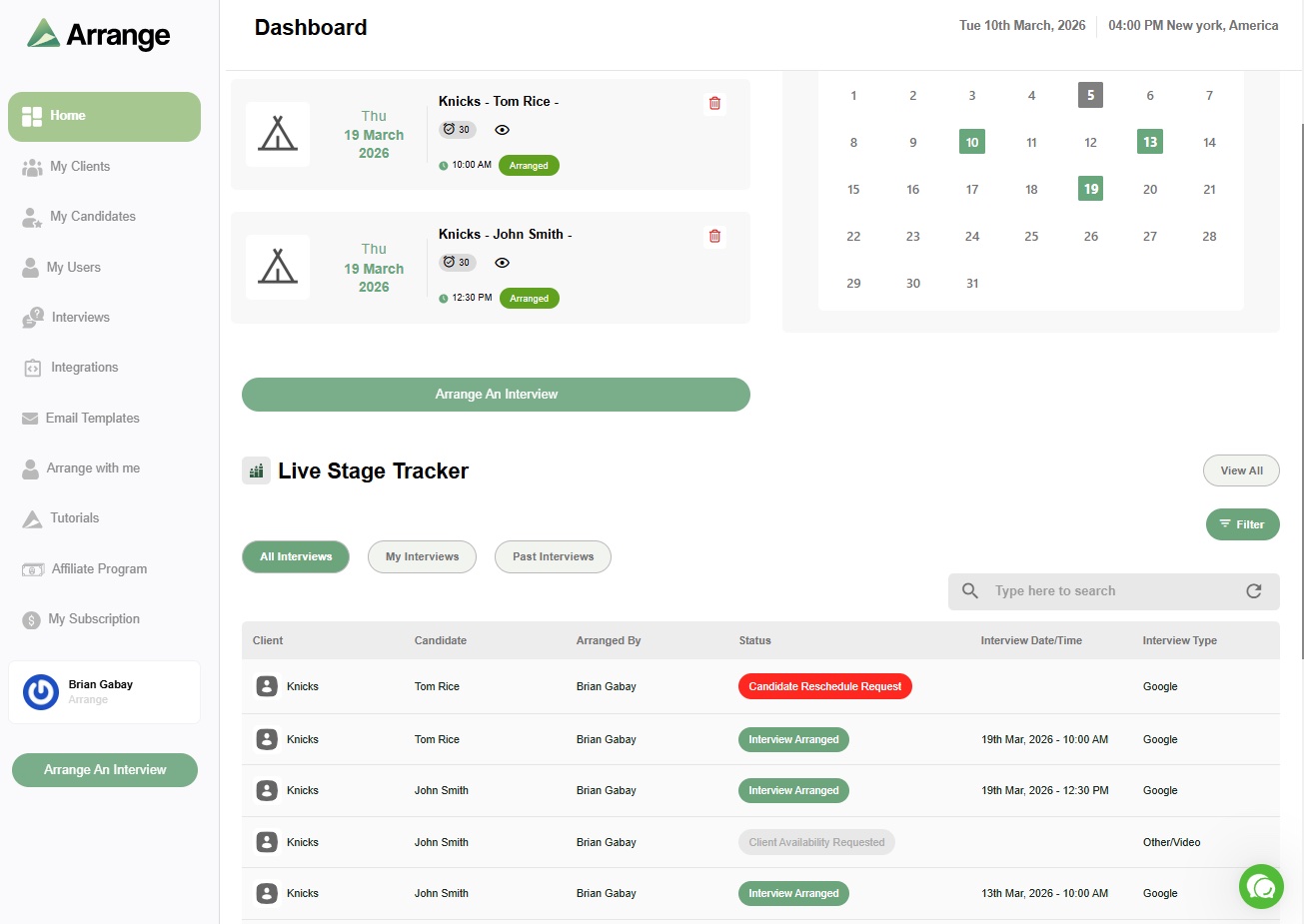
Arrange was built specifically for the problem that Calendly and GoodTime both leave unsolved for agency recruiters: coordinating an interview between a candidate and a client who have no shared calendar system, without requiring either of them to create an account, log in to anything, or interact with each other directly.
The core workflow is the Candidate Scheduling Link. When a recruiter submits a candidate to a client, they include a scheduling link in the submission email. The client clicks it and chooses to either provide their own availability or request the candidate's times. Arrange handles the exchange between them automatically - notifying the candidate, collecting their availability, presenting it to the client, and confirming the interview. Calendar invites go out to all parties the moment a time is selected.
Neither the candidate nor the client creates an account or logs in to anything. They click a link, make a selection, and receive a calendar invite. The recruiter does nothing after sending the initial submission email.
Arrange also includes Arrange Connect, which lets recruiters create booking pages on behalf of clients and hiring managers - giving them a shareable scheduling link without requiring the client to set anything up on their end.
ATS integrations are native and bidirectional with Loxo, Crelate, RecruitCRM, and Recruiterflow. When an interview confirms, the candidate's stage advances automatically and the interview details are logged without manual input.
Where it falls short
Arrange is purpose-built for the agency recruiter use case. It doesn't try to be an enterprise interview coordination platform for large in-house teams - that's GoodTime's territory. It doesn't try to be a general-purpose meeting scheduler - that's Calendly's territory. If you need deep integration with Greenhouse, Lever, or Workday for an in-house team, Arrange isn't the right fit.
Pricing
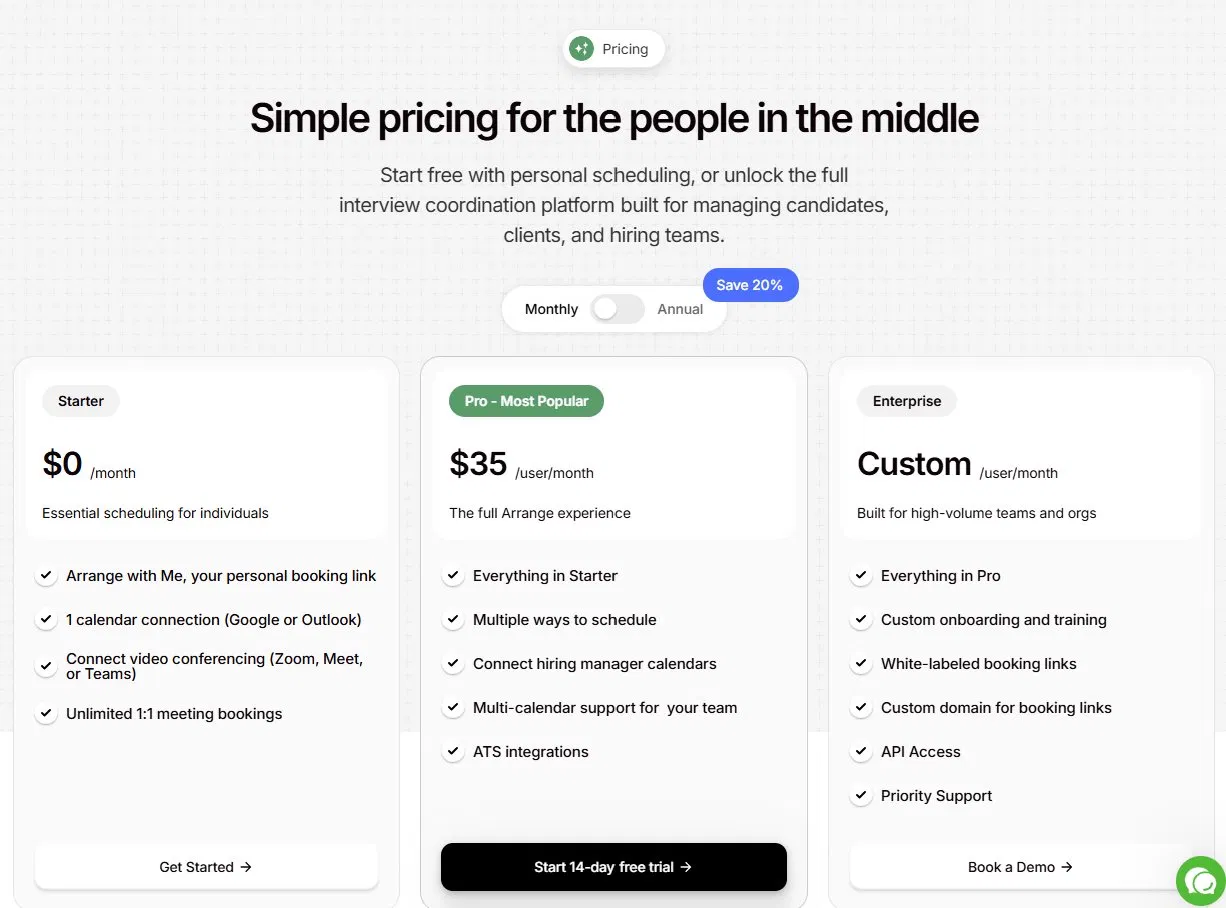
Around $35/user/month. 14-day free trial, no credit card required.
Best for
External recruiting agencies and staffing firms that coordinate interviews between candidates and clients who have no shared calendar system.
Side-by-side comparison
Three-party coordination (recruiter, candidate, client)
Arrange: Yes | Calendly: No | GoodTime: Partial
No login required for candidates or clients
Arrange: Yes | Calendly: No | GoodTime: No
Native ATS integrations for agency platforms
Arrange: Yes (Loxo, Crelate, RecruitCRM, Recruiterflow) | Calendly: No | GoodTime: No
Automatic candidate stage advancement in ATS
Arrange: Yes | Calendly: No | GoodTime: Yes (enterprise ATS only)
Built for agency recruiters
Arrange: Yes | Calendly: No | GoodTime: No
Built for in-house enterprise teams
Arrange: No | Calendly: No | GoodTime: Yes
Pricing
Arrange: ~$35/user/mo | Calendly: From $12/seat/mo | GoodTime: Custom (enterprise)
The honest recommendation
If you're an agency recruiter coordinating interviews between external candidates and external clients, Arrange is the only one of these three tools built for your workflow. Calendly will leave you doing manual coordination. GoodTime will leave you paying enterprise prices for features designed for a different use case.
If you're an in-house recruiter at a company with structured interview processes and enterprise ATS infrastructure, GoodTime is worth evaluating seriously.
If you need a simple tool to share your own availability for calls and meetings, Calendly is excellent at exactly that.
The mistake most agency recruiters make is defaulting to Calendly because it's familiar and then building workarounds for the coordination layer it doesn't handle. Those workarounds are where the hours go.
Arrange has a 14-day free trial at letsarrange.io. No credit card required.
FAQ
Is GoodTime better than Calendly for recruiters?
It depends on your use case. GoodTime is better for in-house talent acquisition teams at larger companies running structured interview processes with multiple interviewers. Calendly is simpler and more accessible but wasn't built for complex recruiting coordination. For agency recruiters specifically, neither was built for the three-party coordination problem they face daily.
Can Calendly replace a dedicated interview scheduling tool for recruiting agencies?
Not effectively. Calendly handles single-sided scheduling well - sharing your availability with one other person. Agency recruiters need to coordinate availability between two external parties who have no shared system. That requires a different kind of tool, and using Calendly for this workflow typically means the recruiter ends up doing the coordination manually anyway.
What makes Arrange different from GoodTime and Calendly?
Arrange is the only one of the three built specifically for agency recruiters coordinating between external candidates and external clients. It handles three-party availability coordination without requiring anyone to log in, integrates natively with the ATS platforms agency recruiters use, and automatically updates candidate stages when interviews are confirmed. GoodTime solves a different problem for enterprise in-house teams. Calendly solves a different problem for individual scheduling.


.jpg)

.jpg)
.jpg)