


We talk a lot about eliminating scheduling back and forth. Here's what that actually looks like in practice - with real timestamps.
The timeline
1:40pm - An agency recruiter submitted a candidate to a client. At the end of the submission email, they included a Candidate Scheduling Link with a single line: "If you'd like to meet this person, click here."
That's it. The recruiter's job was done at 1:40.
1:44pm - Four minutes later, the client responded. Not to schedule an interview - that was already handled. Just to say: "She looks excellent and right up my alley. I'll arrange a time with her now."
The client had already clicked the link.
What happened next - without the recruiter doing anything:
When the client clicked the Arrange link, they were presented with two options: provide their own availability, or request the candidate's availability. The client chose to request the candidate's times.
Automatically, Arrange sent the candidate an email asking them to provide their availability via a SmartLink. The candidate received it, clicked it, and submitted their available times. The experience was completely frictionless - no account creation, no login, just a clean interface to select availability.
The client was notified in real time the moment the candidate responded. They reviewed the available times, selected one, and confirmed.
1:51pm - Calendar invites went out instantly to all parties. The candidate. The client. The recruiter. Everyone confirmed in their calendars simultaneously.
ATS updated automatically the moment the interview confirmed - the candidate's stage advanced and the interview details were logged without any manual input from the recruiter.
Seven minutes. Zero recruiter involvement after 1:40.
No follow up email asking for availability. No back and forth between the recruiter and the client. No manual calendar invite. No ATS update. None of it.
The recruiter included one link in a submission email. Everything else happened automatically.
Why this matters
The typical interview scheduling process for an agency recruiter looks nothing like this. It usually looks like this:
Recruiter submits a resume to the hiring manager and asks if they would like to meet them. They wait for a greenlight. If a yes - emails candidate for availability. Candidate replies a day later with three windows. Recruiter takes those windows to the client. Client says two of the three don't work. Recruiter goes back to the candidate. Candidate says one remaining window is now taken. Recruiter asks the client for new times. Client goes quiet for a day. Eventually something gets confirmed and the recruiter manually sends calendar invites to both parties, then logs the interview details in the ATS.
Four to five days. Eight to ten emails. All for one interview.
The 7-minute workflow above isn't an outlier. It's what happens when the coordination layer is handled by a tool built for it rather than by email.
The workflow that made it possible
Three things came together to make this happen in 7 minutes:
First, the Candidate Scheduling Link was included in the original submission email. This is the key habit change. Most recruiters wait until the client expresses interest before starting the scheduling process. Including the link upfront means the client can trigger the scheduling flow immediately - which is exactly what happened here.
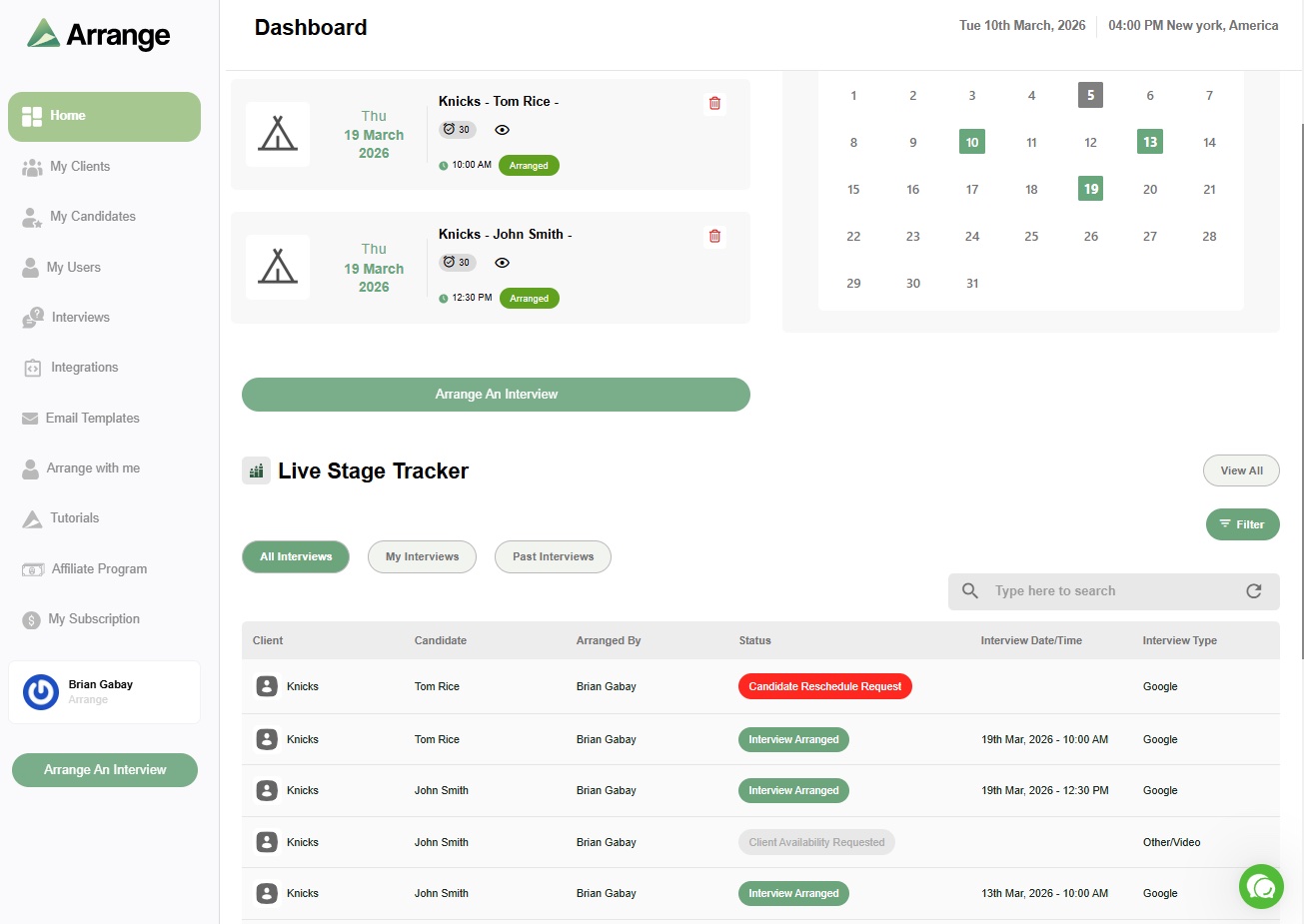
Second, the client chose to request the candidate's availability rather than provide their own. Arrange handled the entire exchange between them automatically - notifying the candidate, collecting their times, presenting them to the client, and confirming the selection. The recruiter had full visibility through Arrange's live stage tracker but didn't have to do anything at all!
Third, Arrange's ATS integration closed the loop automatically. When the interview confirmed, ATS updated in real time - no manual stage change, no note logging, nothing. It just happened.
What this means for your desk
If you're an agency recruiter running ten active searches, multiply this by ten. The difference between a manual scheduling process and an automated one isn't seven minutes versus four days on a single interview. It's hours every week redirected from admin to the work that actually generates revenue.
The habit change is simple: include the Candidate Scheduling Link in every submission email. Don't wait for the client to express interest. Let the link do the work.
If you want to see what this looks like in your own workflow, there's a 14-day free trial at letsarrange.io. No credit card required.


.jpg)

.jpg)
.jpg)