


You can, and if you're a recruiter who's ever copy-pasted candidate details into a spreadsheet to track interview progress, you already know the appeal. Excel is familiar, it's flexible, and it's free if you already have it. A simple tracker with columns for candidate, client, stage, last contact, and next action isn't hard to build.
The question is what it costs you - not in money, but in time and reliability.

Where it breaks down for recruiting agencies
Excel is a recording tool, not a coordination tool. It tells you what you typed into it. It doesn't help you collect availability from a client, send a reminder to a candidate, or confirm an interview automatically. Every action still happens over email, and Excel just records the outcome.
Excel can't send the availability request
The hardest part of interview scheduling isn't knowing that an interview needs to happen - it's getting both parties to agree on a time without five rounds of email back-and-forth. Excel doesn't help with that at all. You still send the email, wait for the reply, go back to the other party, and manually track where each thread stands.
Every update is a manual step
When a client responds with availability, you update Excel. When a candidate confirms, you update Excel. When the interview is scheduled, you update Excel, send the calendar invites, and update your ATS. None of those steps happen automatically. Under pressure - when you're managing 10+ active searches - these updates get delayed or missed entirely.
You have no visibility into what's in motion
Excel shows you the last state you recorded. It doesn't show you what's happening right now in a scheduling conversation - whether the client has seen your email, whether the candidate has responded, whether anything is at risk of going cold. You find out when something falls through, not while it's still preventable.
It doesn't scale across clients
Managing interviews across five clients simultaneously means maintaining separate tracking for each relationship, each candidate, each hiring manager's preferences and response patterns. Excel can hold all that data, but there's no native way to get a unified view of everything that needs attention today.
Nothing is connected
The scheduling emails live in your inbox. The calendar invites live in your calendar app. The ATS record lives in your ATS. Excel lives in a spreadsheet. None of these talk to each other. Every confirmation requires manual updates across multiple systems.
When should a recruiting agency move beyond Excel for interview scheduling?
The honest answer is: when you're managing more than a handful of active interviews at the same time and the manual overhead starts to affect either the speed of your placements or the reliability of your pipeline data.
For most agencies, that point comes somewhere around 8-12 active interviews across 3-4 clients. Before that, the friction is manageable. After that, things start slipping in ways that cost you placements.
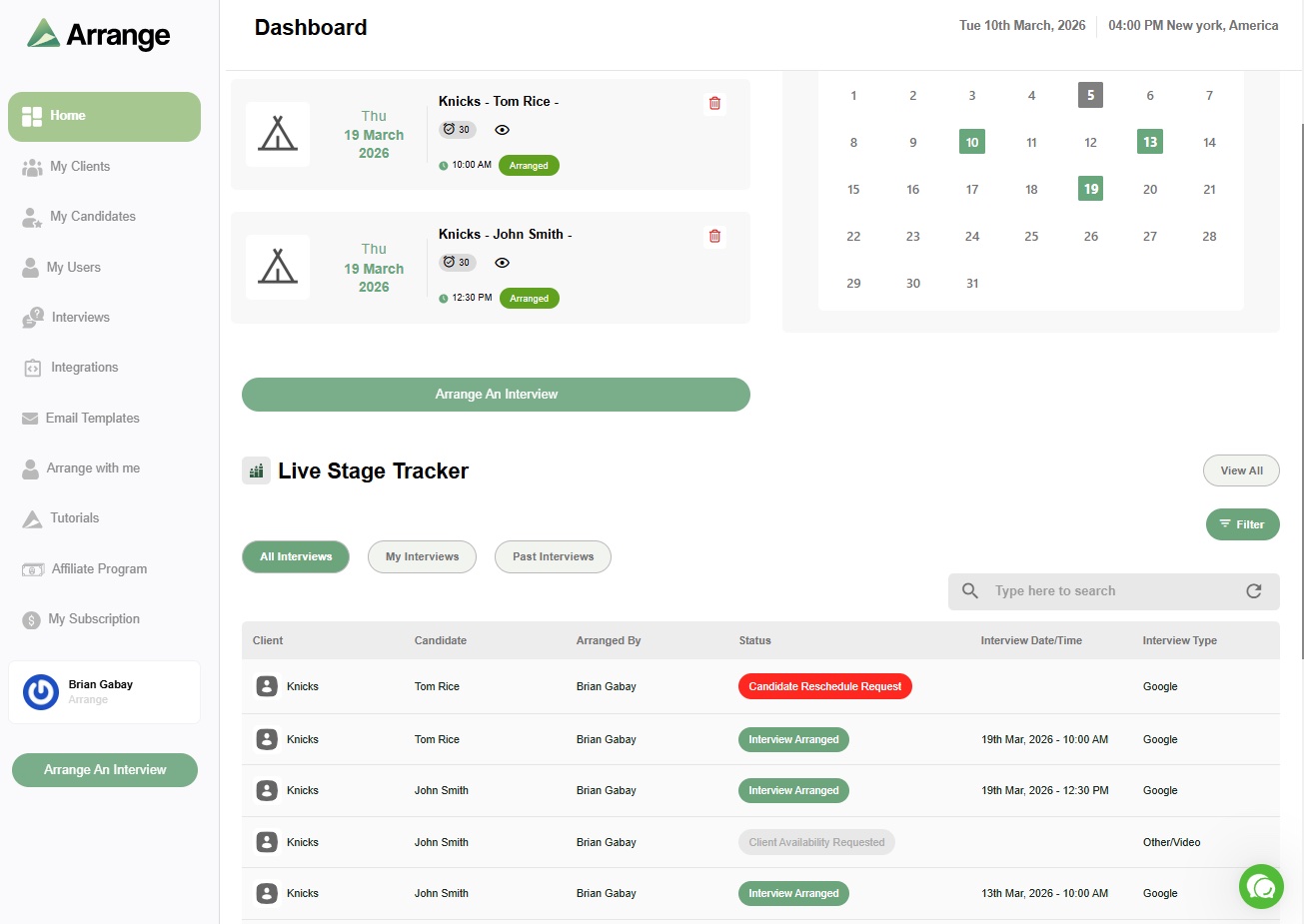
What replaces Excel isn't another spreadsheet with more columns - it's a tool where the coordination and the tracking happen in the same place, automatically. Arrange handles the scheduling coordination - collecting availability from clients and candidates without requiring login, confirming interviews automatically, and syncing back to your ATS. You get visibility into what's in motion without having to manually update anything.
There's a 14-day free trial at letsarrange.io.


.jpg)

.jpg)
.jpg)