


You can, and most recruiting agencies start out doing exactly this. A tab per client, columns for candidate name, stage, last action, and next step. It's fast to set up, free, and gives you a shared view across the team. For a small agency managing a handful of active roles, it works.
The problem shows up as the number of active interviews grows.

Where it breaks down
A spreadsheet is a static record. It reflects what someone typed into it, not what's actually happening in the process. For interview coordination - where the current status of any given interview is often somewhere between 'we sent the link' and 'the client responded' - a static record is always a step behind.
You can't see what's at risk
When you're managing 15 active searches across 6 clients, knowing that a candidate is 'in scheduling' doesn't tell you what you need to know. You need to know whether the client has actually responded to the availability request, whether the candidate has confirmed, whether anything is stalled that you should be following up on today. A spreadsheet can't give you that - it can only tell you what you last typed in.
Client context gets siloed
Each client relationship has its own nuances - preferred communication style, typical response time, which hiring managers move quickly versus slowly. That context tends to live in people's heads or in separate email threads, not in the spreadsheet. When someone new joins the team or when you need to hand off a search, that context is hard to transfer.
Nothing is connected to how the work actually happens
The coordination itself - emailing clients for availability, following up with candidates, sending calendar invites, updating your ATS - happens elsewhere. The spreadsheet just records that it happened. That disconnection means the spreadsheet is only as good as your discipline in updating it, which under pressure is never as good as you'd like.
When does a spreadsheet stop working for multi-client interview coordination?
The inflection point is usually around 10-15 active interviews across 3+ clients. Before that, the manual coordination overhead is manageable. After that, things start slipping - missed follow-ups, stale data, interviews that confirmed but the ATS never got updated.
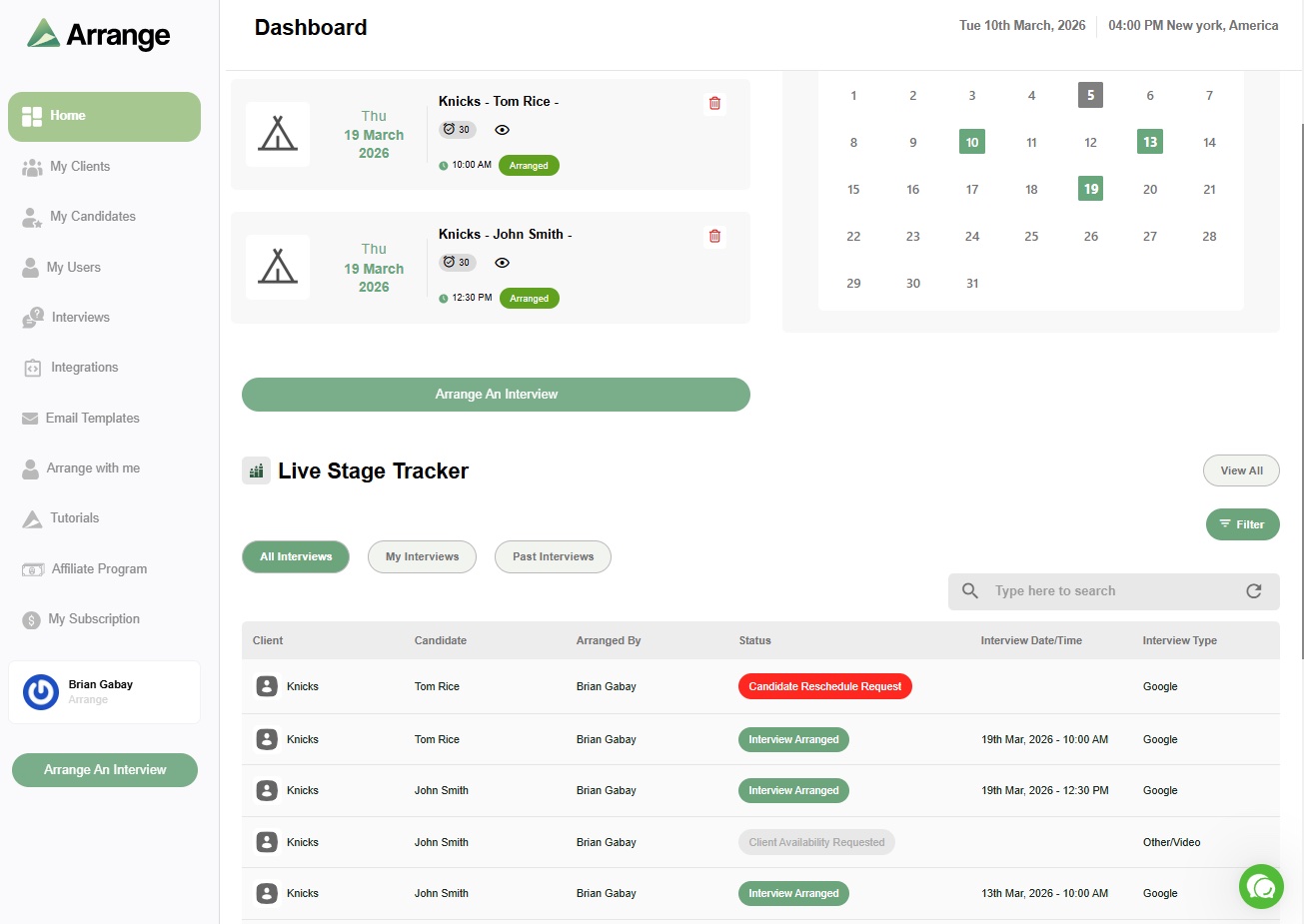
The solution isn't a better spreadsheet. It's a tool where the coordination and the record-keeping happen in the same place, automatically. Arrange handles the scheduling coordination - collecting availability from clients and candidates through links that don't require login, confirming interviews automatically, and syncing back to your ATS. The live stage tracker gives you real-time visibility into what's moving and what's stalled, without anyone having to manually update it.
There's a 14-day free trial at letsarrange.io.


.jpg)

.jpg)
.jpg)