


If you're searching for an interview tracker, you probably already know what the problem is. You have candidates in motion across multiple client relationships, and at any given moment you're not totally sure which ones are confirmed, which ones are waiting on availability, and which ones have quietly stalled.
Most interview tracking tools solve part of that. They show you a pipeline. They tell you what stage a candidate is in. What they don't do is tell you what's actually happening right now - because most of them only know what someone has manually entered.
For recruiting agencies, that gap is the whole problem. Here's what a real interview tracker needs to do for external recruiters, and which tools are worth looking at.
What a good interview tracker needs to do for recruiting agencies
Most interview trackers are designed for in-house teams running a single hiring pipeline. They show you where candidates are in your process, flag overdue stages, and integrate with your ATS. For internal TA teams, that covers a lot.
For recruiting agencies, the requirements are different. See the best interview scheduling software for recruiting agencies. You're managing interviews across multiple client relationships simultaneously. Each client has their own process, their own interviewers, and their own pace. The tracker needs to reflect that reality.
Specifically, a good interview tracker for agencies should:
- Show you the live status of every interview across every client - not just what stage a candidate is in, but whether availability has been submitted, who's waiting on a response, and whether the interview is actually confirmed
- Update automatically when something happens - not when someone manually logs it
- Connect to your scheduling workflow so that the tracker reflects what's actually happening, not just what someone typed in
- Work across multiple client relationships without requiring a separate system per client
The best interview tracking tools for recruiting agencies
Arrange

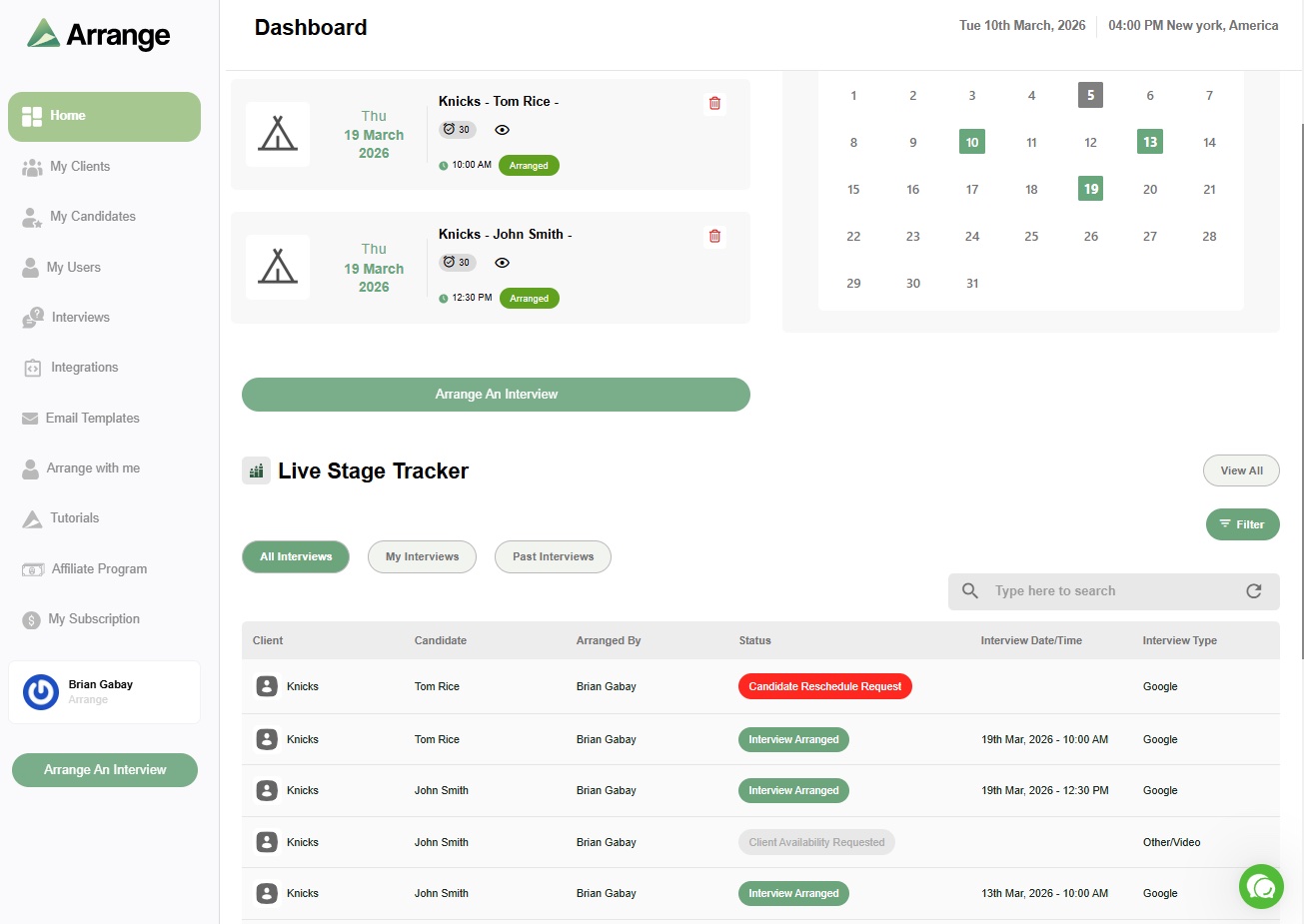
Arrange's live stage tracker is built specifically for the recruiting agency workflow. It gives you a real-time view of where every interview stands across all your active roles - not as a static record, but as a live reflection of what's actually happening.
When a candidate opens a scheduling link, the tracker updates. When a client shares their availability, the tracker updates. When an interview is confirmed, the tracker updates. You're not relying on anyone to log anything manually - the status reflects the actual state of the process at any given moment.
This matters for agencies managing ten or fifteen active interviews across multiple clients at once. You can see at a glance which ones are moving, which ones are stalled, and which ones need a nudge - without opening your inbox or chasing anyone for an update.
The tracker is built into Arrange's broader scheduling workflow, which means it's connected to how the coordination actually happens. Scheduling links, availability collection, confirmations, and calendar invites all flow through the same system - and the tracker reflects all of it automatically.
ATS integrations: Loxo, Crelate, Recruiterflow, RecruitCRM. See which scheduling platforms actually integrate with ATS systems.
Pricing: around $35/user per month. 14-day free trial.
Best for: external recruiting agencies that need a live, automatic view of interview status across multiple client relationships.
Greenhouse
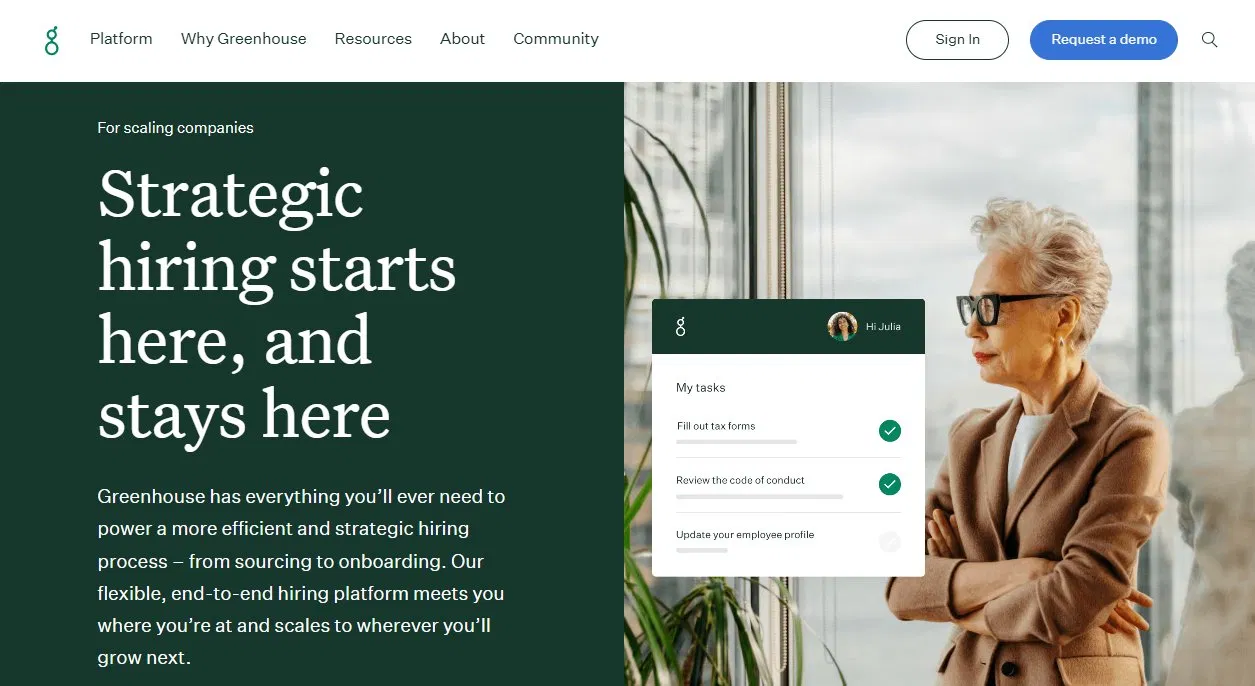
Greenhouse has solid built-in interview tracking for in-house teams. Candidates move through defined pipeline stages, interviewers are assigned, scorecards are submitted, and the whole process is logged. For structured internal hiring processes, it works well.
For recruiting agencies, the limitations are familiar. Greenhouse assumes your interviewers are internal. It doesn't have a native way to track the coordination between an external client and a candidate that an agency manages. The stage tracker reflects what someone has manually updated - not the live status of a scheduling conversation happening outside the system.
Best for: in-house talent acquisition teams running structured, high-volume hiring pipelines.
Lever

Lever's pipeline view and interview tracking work similarly to Greenhouse - visual, stage-based, and well-integrated with calendar tools for internal scheduling. It's a strong ATS for in-house teams, and the tracking features are solid within that context.
Like Greenhouse, it's not built for the three-party coordination that recruiting agencies manage. The tracker shows you what's been logged, not what's currently in motion between a client and a candidate.
Best for: mid-size companies with in-house recruiting teams looking for ATS and pipeline visibility in one platform.
Loxo

Loxo is one of the most popular ATS platforms among external recruiting agencies, and for good reason. It handles sourcing, outreach sequences, candidate records, and client management well. Pipeline stages and candidate tracking are core features.
Where it leaves a gap is the scheduling and coordination side. Once a client says they want to meet a candidate, the coordination happens in your inbox - and the ATS only reflects it after the fact, when someone manually updates the record. For tracking interview status in real time across multiple active roles, you'd want a scheduling tool alongside Loxo, not instead of it.
Best for: recruiting agencies that need strong pipeline and ATS functionality - pair with Arrange for real-time interview tracking.
Spreadsheets
Worth mentioning because most agencies start here. A tab per client, rows per candidate, columns for stage and status. It gives you a centralized view and costs nothing.
The problem isn't the format - it's that a spreadsheet only reflects what someone has manually entered. It has no connection to your scheduling workflow. When a candidate responds to an availability request, the spreadsheet doesn't know. When a client confirms a time, the spreadsheet doesn't know. You find out when something is confirmed, not while it's still in motion.
For agencies managing a small number of roles, it's workable. As volume grows, the lag between what the sheet says and what's actually happening becomes a real operational risk.
What to look for when choosing an interview tracker
The clearest differentiator is whether the tracker updates automatically or manually. Manual trackers (spreadsheets, ATS pipeline views) are only as current as the last person who logged something. Automatic trackers - connected to your actual scheduling workflow - reflect what's happening in real time.
For agencies managing multiple client relationships simultaneously, that distinction has a direct impact on how many things slip through the cracks.
FAQs
What is an interview tracker?
An interview tracker is a tool that shows you the current status of every interview in your pipeline - who's confirmed, who's still scheduling, and where things are stalled. For recruiting agencies, a good interview tracker updates automatically based on what's actually happening in your scheduling workflow, not based on what someone has manually logged.
What's the difference between an interview tracker and an ATS?
An ATS manages your full recruitment pipeline - sourcing, outreach, candidate records, client management, and placement tracking. An interview tracker focuses specifically on the status of scheduled interviews: who's confirmed, who's waiting, what stage each interview is at. Some ATS platforms include basic interview tracking; dedicated scheduling tools like Arrange include live tracking as part of their core workflow.
Can I use a spreadsheet to track interviews across multiple clients?
Yes, and many agencies do. The limitation is that a spreadsheet only reflects what someone has manually updated - it has no connection to what's actually happening in your scheduling workflow. As the number of active interviews grows, the gap between what the sheet says and what's really happening tends to widen.
Does Arrange replace my ATS?
No. Arrange sits alongside your ATS and handles the scheduling coordination and live tracking that an ATS isn't designed for. Confirmed interviews sync back to your ATS automatically, so both systems stay current.
How do recruiting agencies track interviews across multiple clients?
Most agencies use some combination of their ATS, a spreadsheet, and their inbox - and manually piece together what's happening. The better approach is a scheduling tool with a built-in live tracker, like Arrange, which automatically reflects the current status of every interview without requiring anyone to update it manually.
What's the difference between an interview tracker and interview scheduling software?
An interview tracker shows you where each candidate stands. Interview scheduling software is what moves them through those stages. Most standalone trackers, including ATS pipeline views, only update when someone logs a change manually — they don't know an interview happened until you tell them. Tools where scheduling and tracking are the same system (like Arrange) update automatically as things happen.
Can I use my ATS as my interview tracker?
Yes, for basic pipeline visibility. The limitation for agencies is that most ATS trackers (Greenhouse, Lever) assume internal interviewers and don't reflect real-time coordination happening outside the system with an external client.
Does a spreadsheet work as an interview tracker?
For very low volume, yes. Past a handful of active roles, a spreadsheet only reflects what someone remembered to update, which creates a lag between what it says and what's actually happening.


.jpg)

.jpg)
.jpg)