


If you're an external recruiter using a platform like Loxo, Crelate, or Bullhorn, you've probably noticed that the scheduling features inside your ATS don't fully solve the coordination problem you're actually trying to solve.
Most ATS scheduling is designed for internal hiring teams - where the recruiter has access to hiring manager calendars and the candidate is the only external party. For agency recruiters coordinating between external candidates and external clients, that's a different problem. The ATS handles the record-keeping, but the coordination still happens manually in your inbox.

Why ATS scheduling falls short for external recruiters
The core issue is that ATS scheduling tools were built around a specific assumption: the recruiter has visibility into the interviewer's calendar. For in-house teams, that's usually true - hiring managers are internal employees, their calendars are accessible, and the scheduling system can read availability and propose times.
For external recruiters, the client's hiring manager isn't in your system. Their calendar isn't accessible. You can't see when they're free, and they have no particular incentive to log into your ATS to share their availability. Every coordination step requires explicit communication - an email asking for times, a response with availability, a follow-up to the candidate, a confirmation back to the client.
Your ATS captures what happened after the fact. It doesn't help you get there.
What a purpose-built scheduling layer adds
Arrange is designed to sit on top of your existing ATS and handle the coordination layer that ATS scheduling can't reach.
When you're ready to schedule an interview, you generate a scheduling link tied to the candidate and the role. That link goes out with your submission email. The client clicks it and either provides their availability or requests the candidate's times. The candidate interacts through the same link. When both sides have completed their step, the interview is confirmed and calendar invites go out automatically.
No one needs to log in to your ATS. No one needs to create an account. The coordination happens through the link, and the outcome - confirmed interview details, updated candidate stage - syncs back to your ATS automatically.
The integration works with Loxo, Crelate, Recruiterflow, and RecruitCRM. When an interview confirms through Arrange, the candidate's stage advances and the interview details are logged without manual input.
The workflow in practice
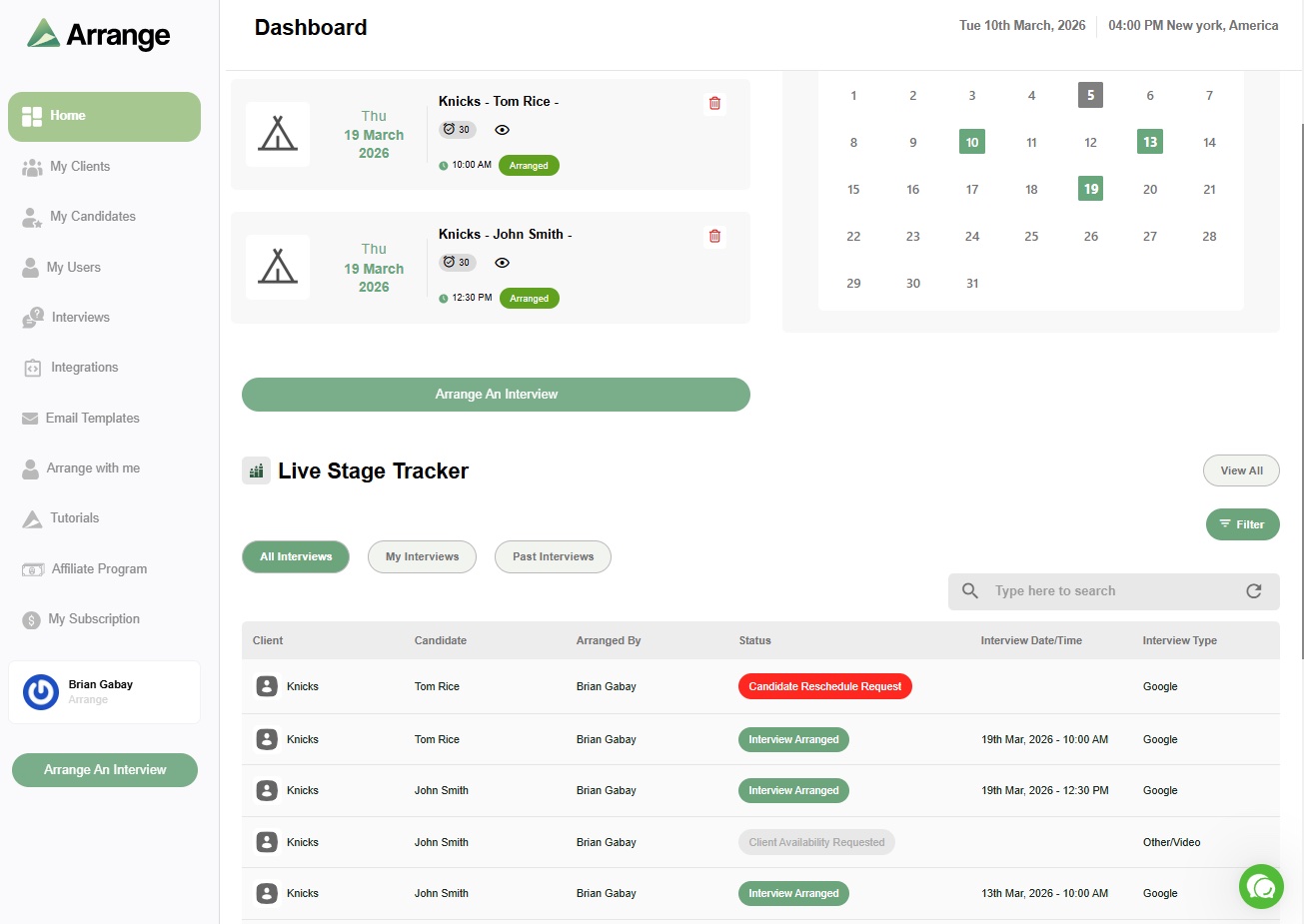
For most agency recruiters, the workflow looks like this: submit a candidate with the scheduling link included, let Arrange handle the coordination automatically, check the live stage tracker to see where things stand, and pick up when the interview is confirmed and the ATS has updated.
The recruiter's active involvement in the scheduling process is limited to triggering it. The back-and-forth happens without them.
If you're currently spending meaningful time on interview coordination that could be automated, there's a 14-day free trial at letsarrange.io. No credit card required, and it integrates with most agency ATS platforms without a lengthy setup process.


.jpg)

.jpg)
.jpg)