


For recruiters and coordinators, scheduling interviews is one of the most time-consuming parts of the job. Coordinating availability between candidates and hiring managers requires multiple touchpoints, constant follow-ups, and careful attention to detail. It's a process that can easily take days or even weeks when done manually.
Candidate scheduling software is built to remove that manual layer. Instead of a recruiter going back and forth by email to collect availability from a candidate, then cross-referencing it against a hiring manager's calendar by hand, the candidate interacts directly with a scheduling link, and the system handles the matching.
What candidate scheduling software actually does
At its core, candidate scheduling software gives each candidate a way to either view real available time slots or submit their own availability, without needing to create an account or install anything. The recruiter or coordinator generates a link, shares it with the candidate, and the system takes it from there:
- The candidate views available time slots based on the hiring manager's real calendar, or submits their own availability for the recruiter to match
- The system automatically matches availability between the candidate and hiring manager and confirms the interview
- Calendar invites go out automatically once a time is selected, no manual follow-up required
How this changes the coordination workload
Traditional interview scheduling involves a predictable amount of manual work: reaching out to the candidate for availability, cross-referencing it against the hiring manager's calendar, proposing times that work for both, confirming the selected time, sending calendar invites, and handling any rescheduling that comes up afterward.
Candidate scheduling software automates most of that sequence. The candidate provides availability on their own time, the system matches it automatically, confirmations and calendar invites go out without manual intervention, and for tools with ATS integration, the interview details get logged automatically rather than requiring a separate manual update.
Candidate Scheduling Links in Arrange

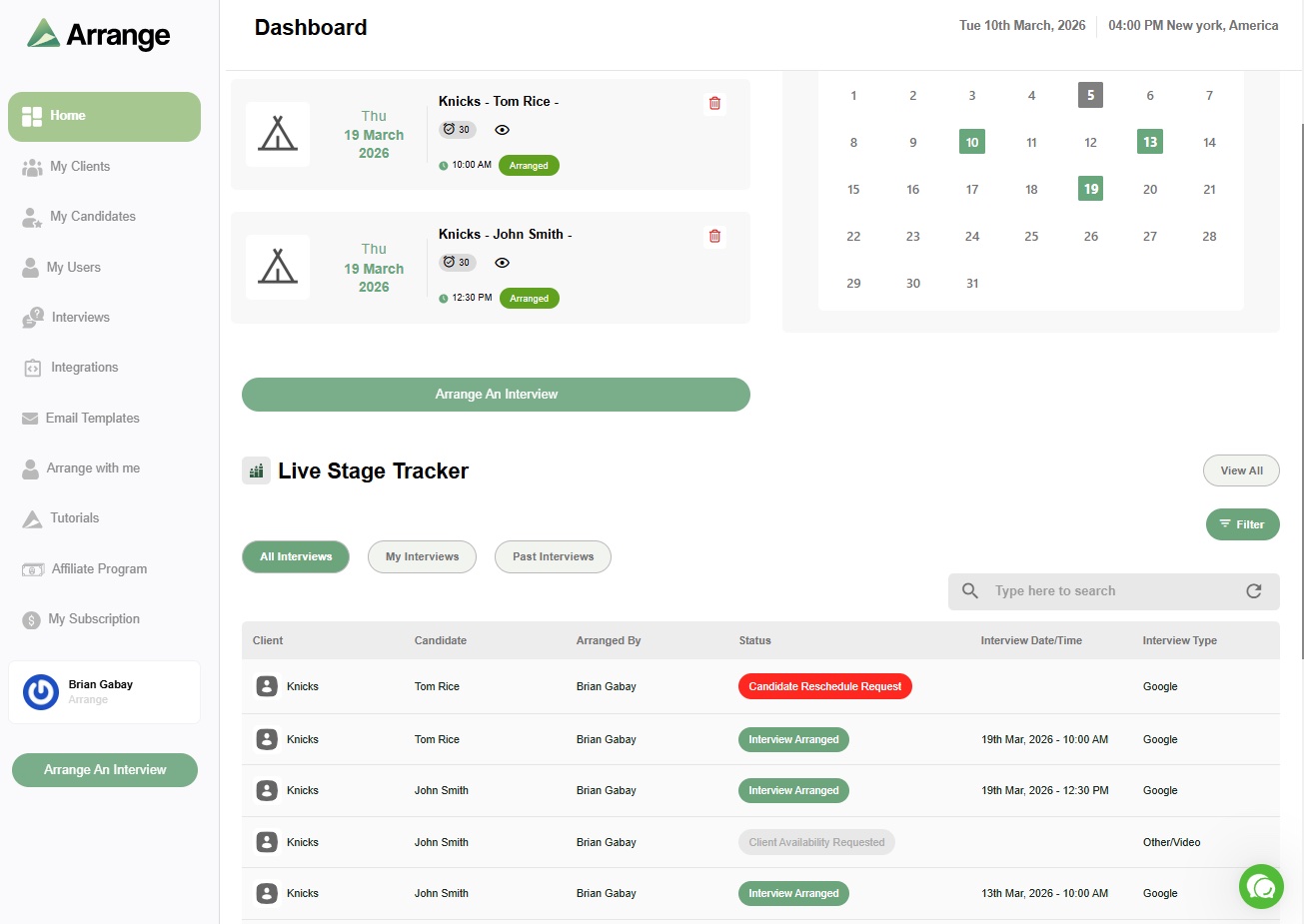
Arrange's version of this is called Candidate Scheduling Links: personalized URLs generated for each candidate-job combination. When a recruiter includes one in a candidate submission to a client, the client can click through and either share their own availability or request the candidate's, and Arrange handles the exchange between them automatically from there.
This is specifically built for the agency recruiting context, where the recruiter is coordinating between two external parties, a candidate and a client, who don't share a calendar or a system. Neither party creates an account. The recruiter includes the link, and the coordination that would otherwise take days of back-and-forth happens on its own.
What to look for in candidate scheduling software
A few things separate genuinely useful candidate scheduling tools from ones that just look good in a demo:
No login required for the candidate. If a candidate has to create an account just to share their availability, adoption drops. The best implementations work through a simple link with zero setup.
Real-time availability, not a static list. The tool should reflect actual live calendar availability, not a manually maintained list that can go stale the moment something changes.
Automatic confirmation and calendar invites. Once a time is selected, invites should go out to everyone involved without a recruiter needing to manually send them.
ATS logging. Ideally, a confirmed interview should update the candidate's stage and log the interview details in your ATS automatically, rather than requiring a separate manual entry.
Getting started
Candidate Scheduling Links are available to all Arrange users, and if you're evaluating candidate scheduling software for the first time, there's a 14-day free trial to see how it works with your own candidates and clients.
FAQ
What is candidate scheduling software?
It's software that lets a candidate share their availability or select an interview time directly, without a recruiter manually collecting and cross-referencing that information by email. It typically works through a shareable link that requires no account creation from the candidate.
Does candidate scheduling software require the candidate to log in?
The best implementations don't. Requiring a login or account creation adds friction that reduces how quickly candidates actually respond, which defeats the purpose of the tool.
How is candidate scheduling software different from general scheduling tools like Calendly?
General scheduling tools are typically built for one person sharing their own availability with another. Candidate scheduling software built for recruiting, like Arrange's Candidate Scheduling Links, is designed for the three-party case: a recruiter coordinating between a candidate and a hiring manager who don't share a calendar or system.
Does candidate scheduling software integrate with an ATS?
It depends on the tool. Arrange integrates natively with Loxo, Crelate, Recruiterflow, and RecruitCRM, so confirmed interviews and candidate stage updates sync back automatically without manual entry.


.jpg)

.jpg)
.jpg)